EasyManua.ls Logo

TFA 98.1082 - User Manual

TFA 98.1082
18 pages
Go to English
Print Icon
To Next Page IconTo Next Page
Loading...
Kat. Nr. 98.1082
Bedienungsanleitung
Operating Instructions
Mode d’emploi
Istruzioni
Instrucciones para el manejo
Gebruiksaanwijzing
TFA_No. 98.1082_Anleit_03_20 13.03.2020 10:51 Uhr Seite 1

Other manuals for TFA 98.1082

Question and Answer IconNeed help?

Do you have a question about the TFA 98.1082 and is the answer not in the manual?

Summary

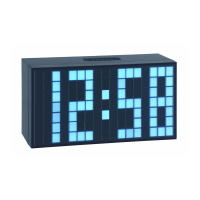
TIME BLOCK - Digital alarm clock

Before you use this product

Read manual carefully for device functions, operation, and safety to prevent damage and retain statutory rights.

Delivery contents

Lists all items included in the product package: digital alarm clock, AC/DC power adaptor, CR2032 battery, and instruction manual.

Field of operation and benefits

Highlights key features like large LED digits, time/date/alarm display, snooze function, and adjustable brightness levels.

Safety instructions

Essential safety guidelines including intended use, unauthorized modifications, risk of electrocution, and keeping away from children.

Elements and buttons overview

Detailed identification and description of all physical buttons, indicators, and ports on the device.

Getting started

Initial setup steps: removing insulation strip from backup battery and connecting the power adapter.

Time and date settings

Step-by-step guide for setting the clock, date, and switching between 12/24 hour time formats.

Alarm and snooze setup

Instructions on how to set the alarm time, alarm minute, and the snooze interval duration.

Alarm activation and control

How to activate or deactivate the alarm function and manage the snooze behavior.

Viewing alarm, date, and snooze

Method to temporarily display the set alarm time, date, and snooze interval in normal operating mode.

Brightness adjustment

How to change the display brightness through three available levels (HIGH, MIDDLE, LOW) using a switch.

Reset procedure

Instructions for resetting the clock to its initial default settings using the reset button.

Care and maintenance

Guidance on cleaning the device with a soft cloth and keeping it in a dry environment.

Battery usage and replacement

Information about the CR2032 backup battery's role during power outages and replacement guidelines.

Troubleshooting common issues

A list of common problems like no indication or incorrect indication, and their corresponding solutions.

Waste disposal instructions

Guidelines for environmentally responsible disposal of the product and batteries, adhering to WEEE directive.

Summary

TIME BLOCK - Digital alarm clock

Before you use this product

Read manual carefully for device functions, operation, and safety to prevent damage and retain statutory rights.

Delivery contents

Lists all items included in the product package: digital alarm clock, AC/DC power adaptor, CR2032 battery, and instruction manual.

Field of operation and benefits

Highlights key features like large LED digits, time/date/alarm display, snooze function, and adjustable brightness levels.

Safety instructions

Essential safety guidelines including intended use, unauthorized modifications, risk of electrocution, and keeping away from children.

Elements and buttons overview

Detailed identification and description of all physical buttons, indicators, and ports on the device.

Getting started

Initial setup steps: removing insulation strip from backup battery and connecting the power adapter.

Time and date settings

Step-by-step guide for setting the clock, date, and switching between 12/24 hour time formats.

Alarm and snooze setup

Instructions on how to set the alarm time, alarm minute, and the snooze interval duration.

Alarm activation and control

How to activate or deactivate the alarm function and manage the snooze behavior.

Viewing alarm, date, and snooze

Method to temporarily display the set alarm time, date, and snooze interval in normal operating mode.

Brightness adjustment

How to change the display brightness through three available levels (HIGH, MIDDLE, LOW) using a switch.

Reset procedure

Instructions for resetting the clock to its initial default settings using the reset button.

Care and maintenance

Guidance on cleaning the device with a soft cloth and keeping it in a dry environment.

Battery usage and replacement

Information about the CR2032 backup battery's role during power outages and replacement guidelines.

Troubleshooting common issues

A list of common problems like no indication or incorrect indication, and their corresponding solutions.

Waste disposal instructions

Guidelines for environmentally responsible disposal of the product and batteries, adhering to WEEE directive.

TFA 98.1082 Specifications

General IconGeneral
BrandTFA
Model98.1082
CategoryAlarm Clock
LanguageEnglish

Related product manuals