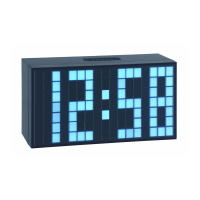
TIME BLOCK – Digital alarm clock
TIME BLOCK – Digital alarm clock
1312
The symbols for the contained heavy metals are:
Cd = cadmium, Hg = mercury, Pb = lead
This product is labelled in accordance with the EU Waste Electrical and Electronic
Equipment Directive (WEEE).
Please do not dispose of this product in ordinary household waste. As a consumer,
you are required to take end-of-life devices to a designated collection point for the
disposal of electrical and electronic equipment, in order to ensure environmentally-
compatible disposal.
11. Specifications
Power consumption: Power supply (included)
Input: 100-240V AC 50/60Hz
Output: 5,8V DC 0,4A, 2,32 W
Average active efficiency: ≥72,65%
No-load power consumption: ≤0.10 W
Backup battery: 1x CR 2032 (included)
Housing dimension: 162 x 61 x 85 mm
Weight: 280 g (Instrument only)
No part of this manual may be reproduced without written consent of TFA Dostmann. The technical data are
correct at the time of going to print and may change without prior notice.
The latest technical data and information about this product can be found in our homepage by simply entering
the product number in the search box.
www.tfa-dostmann.de
E-Mail: info@tfa-dostmann.de
TFA Dostmann GmbH & Co.KG, Zum Ottersberg 12, D-97877 Wertheim, Germany
Commercial registration number: Reg. Gericht Mannheim HRA 570186 03/20
6.5 Reading of the alarm time, date and the snooze interval
• Under normal state, press SNOOZE button (3) first time, you can see the set alarm time; press
SNOOZE button (3) again within 3 seconds, you can see the set snooze interval and date; press
SNOOZE button (3) again (or leave it for 3 seconds), the clock will return to the normal working
state.
6.6 Brightness
• Move the brightness adjusting switch (6) to change brightness in 3 steps (HIGH-MIDDLE-LOW).
6.7 Reset
• If the unit does not work properly use a pin to press RESET button (10), then the clock will
return to the initial mode.
7. Care and maintenance
• Clean it with a soft damp cloth. Do not use solvents or scouring agents. Protect it from moisture.
• Keep the instrument in a dry place.
8. Battery
• Attention: The product only works with power adapter.
• CR2032 button cell is a back-up battery to maintain clock operation in the event of blackout or
other power failure.
• In case of battery replacement, observe correct polarity (+ pole above).
• Remove the battery if you do not use the product for a lengthy period.
9. Troubleshooting
Problems Solutions
No indication ➜ Connect unit to mains adapter
on the instrument
Incorrect indication ➜ Move the FUNCTION switch (4) to ‘NORMAL’.
➜ Use a pin to press RESET button (10)
If your device fails to work despite these measures, contact the retailer where you purchased the
product.
10. Waste disposal
This product has been manufactured using high-grade materials and components which can be
recycled and reused.
Never dispose of empty batteries and rechargeable batteries in ordinary household
waste. As a consumer, you are required by law to take them to your retail store or to
an appropriate collection site depending on national or local regulations in order to
protect the environment.
TFA_No. 98.1082_Anleit_03_20 13.03.2020 10:51 Uhr Seite 7


 To Next Page
 Loading...