To power-up the unit, installs battery as shown in above
section “Battery Installation”.
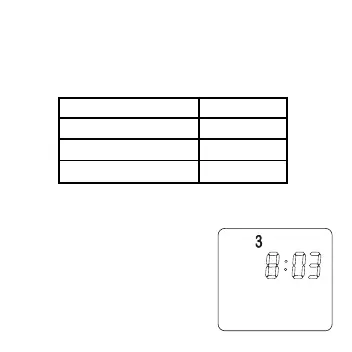
When power is applied for the first time or reset button is
pressed, the display will show as follows:
If the display is different as shown, use a fine probe such
as straightened paper clip to gently push the reset button.
3 SETTING CLOCK
1.Press one of D, H or M button to
set clock. Only the day of week
and the time are displayed.
2.Press D button to adjust the day
of week.
TIME 0:00
DAY MONDAY
TEMPERATURE 22˚C
OUTPUT OFF
11


 To Next Page