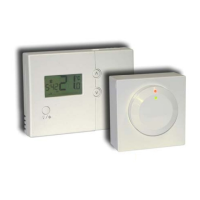
3.Press H button to adjust the hour digits.
4.Press M button to adjust the minute digits.
5.Hold D, H or M button about 3 seconds to fast advance
the day, hour or minute adjustment rate respectively.
6.Press R button to return to normal operation mode.
7.The unit will return to normal operation mode if no key
is pressed for 10 seconds.
4 SETTING PROGRAM
4.1 Pre-recorded Programs
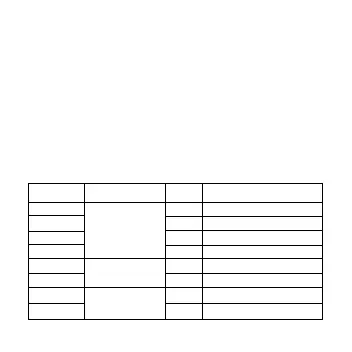
Program Day of Week Time Temp for Heat Control
1 Weekday 6:00 20˚C
2 (Mon - Fri) 8:30 14˚C
3 16:00 20˚C
4 22:00 14˚C
5 Saturday 7:00 20˚C
6 23:00 14˚C
7 Sunday 7:30 20˚C
8 22:00 14˚C
12


 To Next Page