— E15 —
Operation
Record songs
u
1
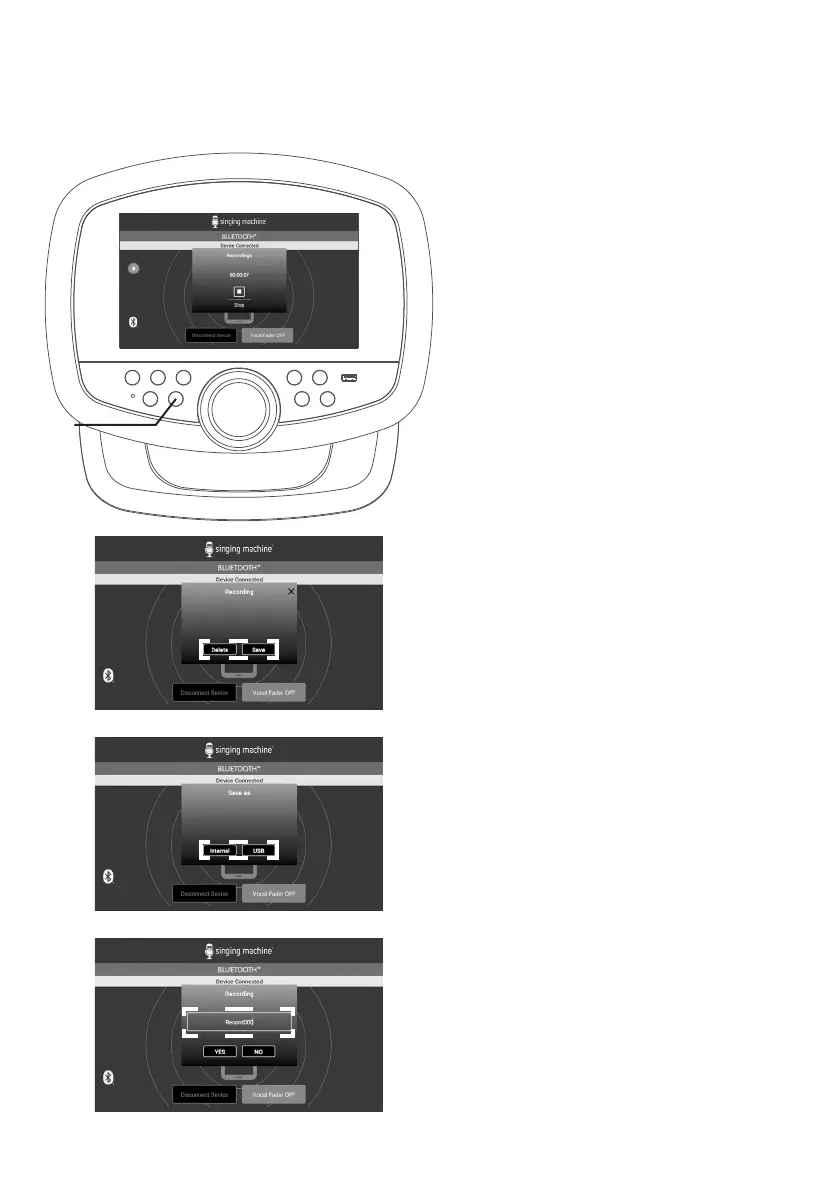
During music playback, press the
REC button to record your singing
and the music. A timer will appear
on the screen.
2
Press the REC button again to
stop recording. A box will pop up
to choose Delete or Save.
3
If Save is selected, a save location
box will pop up to select Internal or
USB to save the recording file.
NOTES:
• You can save the recorded vocals and
music to the built-in memory or USB
flash drive.
• If the recorded audio files will be
recorded on a USB drive, Insert a USB
flash drive into the USB port on the unit.
4
After choosing a save location,
a rename box will pop up.
Rename the recording file as
desired.
5
If selected Delete, a Yes or No
selection box will pop up.


 To Next Page