Need help?
Do you have a question about the The Singing Machine SMC4TV and is the answer not in the manual?
General safety advice regarding electric shock, fire, laser, and product usage.
Details on FCC, FDA, and Canadian ICES compliance standards for the device.
Numbered instructions on proper usage, cleaning, and placement of the apparatus.
Guidelines for power cord handling and using specified attachments or accessories.
Lists the items included in the SMC4TV package, such as the unit, microphone, and cables.
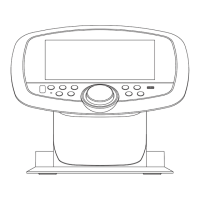
Identifies the ports and compartments on the main SMC4TV unit.
Details the buttons and functions available on the karaoke microphone.
Steps for connecting the unit to a TV using the Audio/Video cable.
Important notes regarding TV connection, lyrics display, and mono TV setups.
Instructions for connecting the microphone and AC adapter to the unit.
Guidelines on making connections before powering on and handling the AC adapter.
Steps to insert and play CD or CD+G discs on the SMC4TV unit.
Explains CD+G and MP3+G formats and remote button functionality.
How to select the CD source and control playback using the remote.
Adjusting volume and navigating menus on the unit and remote.
How to set effects, skip tracks, and pause/stop playback.
Instructions on how to turn off the SMC4TV unit.
Steps for connecting a USB drive and selecting media files.
Explains MP3+G format and microphone compatibility with computers.
How to select and play files from a USB drive using the remote.
How to adjust the microphone volume when using a USB drive.
Instructions for setting karaoke effects when playing USB files.
How to skip tracks and stop playback from a USB drive.
Notes on pausing playback and potential lyric display issues with MP3+G.
Steps for connecting an external audio device via the AUX IN jack.
How to select the AUX source using the remote control.
How to start playback from the external device and adjust volume.
Recommendations for setting volume and limitations on skipping tracks.
How to adjust the microphone volume when using the AUX input.
How to set karaoke effects when using the AUX input.
Guide to adjusting ECHO, DIGI KEY, and AVC effects.
Notes on Echo effect availability with AUX input.
Instructions for purchasing and downloading karaoke music from the website.
Information on file formats and microphone compatibility with computers.
Guidelines for handling, cleaning, and storing compact discs.
Information on compatible disc types and logos.
Recommendations for storing and protecting compact discs from damage.
Instructions for cleaning the SMC4TV unit safely with a dust cloth.
Solutions for power, general sound, TV sound, and lyrics display problems.
Troubleshooting steps for CD playback and USB files not playing.
Solutions for no sound from the microphone.
Solutions for USB files not playing, corrupted files, or unsupported devices.
Technical details on audio output, impedance, CD player, and unit jacks.
Details on power, dimensions, and weight of the SMC4TV unit.
The Singing Machine SMC4TV is a compact and versatile karaoke system designed for home entertainment, allowing users to sing along to their favorite songs from various media sources. This device combines a CD player, USB media player, and an auxiliary input, all integrated into a stylish, portable unit with a wired microphone and a remote control for easy operation.
The primary function of the SMC4TV is to provide a karaoke experience. It supports playback of CD+G discs and MP3+G files, which display lyrics on a connected television, making it easy for users to follow along. For standard audio CDs or MP3 files, the unit plays the music through its built-in speaker or a connected TV, though lyrics will not be displayed. The system includes two microphone jacks, allowing for duets, and features such as echo effect and digital key control to enhance the vocal performance. Auto Voice Control (AVC) can also be activated to mute original vocals on multiplex recordings when the singer starts singing into the microphone, unmuting them when the singing stops.
The SMC4TV can be connected to a television via an audio/video cable, which is recommended for viewing lyrics and enhancing the audio experience. If a TV is not connected, the audio will play through the unit's internal speakers. For users with mono TVs, a "Y" adapter may be needed to connect the audio properly.
The SMC4TV offers straightforward operation with controls located on both the unit itself and the included remote control.
To turn the unit on, simply press the ON/OFF button. The unit's top rotates counter-clockwise to reveal the CD compartment for disc insertion. Once a CD or CD+G disc is gently pressed onto the center spindle, the top should be closed. For USB playback, a USB drive containing MP3 or MP3+G files can be inserted into the USB jack.
The MENU/Mic On-Off button on the remote control allows access to the main menu, where users can select the desired media source: CD, USB, or AUX. Navigation buttons (Up/Down, Skip Forward/Back) are used to make selections.
The Play/Pause / Stop button on the remote controls playback. For CDs, playback begins automatically after selection. For USB files, users navigate through folders and files using the remote's navigation buttons before pressing Play/Pause to start. The Skip Back / -10 Track and Skip Forward / +10 Track buttons allow users to move between tracks or skip multiple tracks at once. Holding these buttons down can skip ten tracks at a time, particularly useful for USB drives with many files.
The unit's volume can be adjusted using the Navigation/Volume Up/Down buttons on the remote. The TV's volume should be controlled independently using its own remote. The microphone volume is also adjustable through the MENU/Mic On-Off button, selecting "MIC VOLUME" and then using the Skip Forward/Back buttons. The mic icon on the screen indicates whether the microphone is on or off; pressing and holding the MENU/Mic On-Off button toggles this status.
The Karaoke Effects Menu, accessed via the MENU/Mic On-Off button and selecting "FX," provides options to enhance the singing experience. These include:
For external audio sources, an audio cable (not included) can be connected from the external unit's AUX/LINE OUT jack to the SMC4TV's AUX IN jack. The AUX source is selected through the Media Source menu. When using AUX, lyrics will not be displayed on the TV. It is recommended to set the volume on the auxiliary unit to 1/3 or lower to prevent distortion. Skipping files or tracks is not possible when using an external device.
The Singing Machine provides an online store (store.singingmachine.com) where users can purchase and download MP3+G karaoke songs. These files can be transferred to a USB flash drive (not included) and then played on the SMC4TV. Downloaded songs can also be burned to a CD.
Proper care and maintenance ensure the longevity and optimal performance of the SMC4TV.
To prevent fire or shock hazards, always disconnect the unit from the AC power source before cleaning. The unit's finish can be cleaned with a dust cloth, similar to other furniture. Exercise caution when cleaning and wiping plastic parts.
The manual provides a troubleshooting guide for common issues:
By following these guidelines, users can enjoy a high-quality karaoke experience with their Singing Machine SMC4TV for years to come.
 General
| Type | Karaoke Microphone System |
|---|---|
| Model | SMC4TV |
| Microphone Quantity | 1 |
| Connectivity | Bluetooth, AUX |
| Microphone | Yes |
| Power Source | Battery |
| Additional Features | Echo control |

 To Next Page