7
Operation
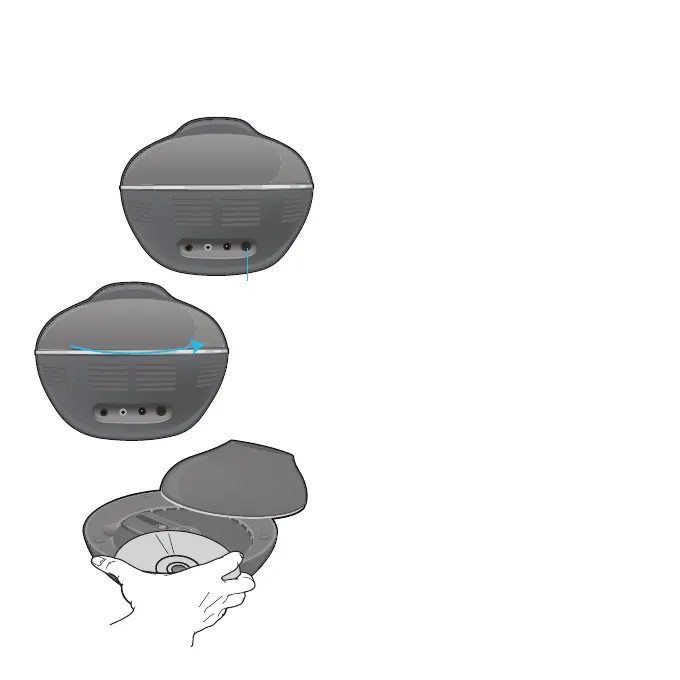
1
Connect the unit as described
previously. Press the ON/OFF button to
the In (ON) position to turn the unit on.
2
Rotate the top of the unit counter-
clockwise to expose the CD
compartment.
3
Insert a CD (with standard or MP3+G
files) or a CD+G by gently pressing it
on the center spindle. Standard or
single discs can be used. Close the top.
FAQs
• What is a CD+G?
A CD+G (CD+ Graphics), is the standard
format for most karaoke discs that will
show the words on the screen.
• What is an MP3+G?
MP3+G is the newest format for karaoke
music utilizing the MP3’s small file size. It
will show the words on the screen. There
are over 12,000 downloads available at
singingmachine.com
• Do the buttons on the remote work with
regular CDs, too?
Yes, they work with both discs.
Playing a CD or CD+G


 To Next Page