5
Installation
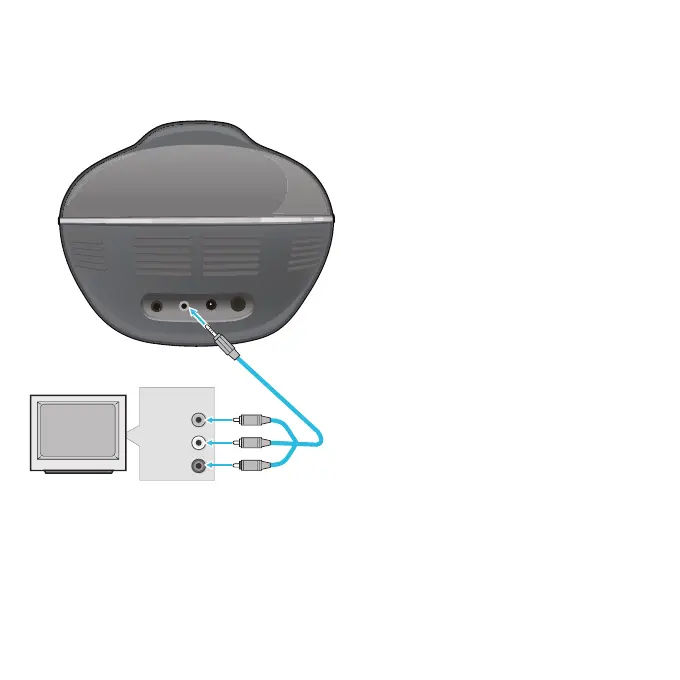
Video Input
Audio Input
(L)
Audio Input
(R)
v
w
u
1
Connect the single end of the Audio/
Video cable to the AV jack on this
unit.
2
Connect the Audio/ Video cable’s
yellow plug to the yellow Video In
jack on the TV.
3
Connect the Audio/ Video cable’s red
and white plugs to the red and white
Audio In jacks on the TV.
If left unconnected, the audio will just
play through the 4TV’s speakers.
Notes:
• This unit can be used with or without a TV,
but TV connection is recommended.
• To see the lyrics on the TV, you must use
a CD+G disc or MP3+G.
• Also refer to the TV’s User Guide.
• If you have a mono TV with only one
Audio In jack, you may have to purchase a
“Y” adapter (stereo to mono) at your local
electronics accessories store.
Connecting The Unit



 To Next Page
 Loading...