6
Installation
Connecting The Unit
4
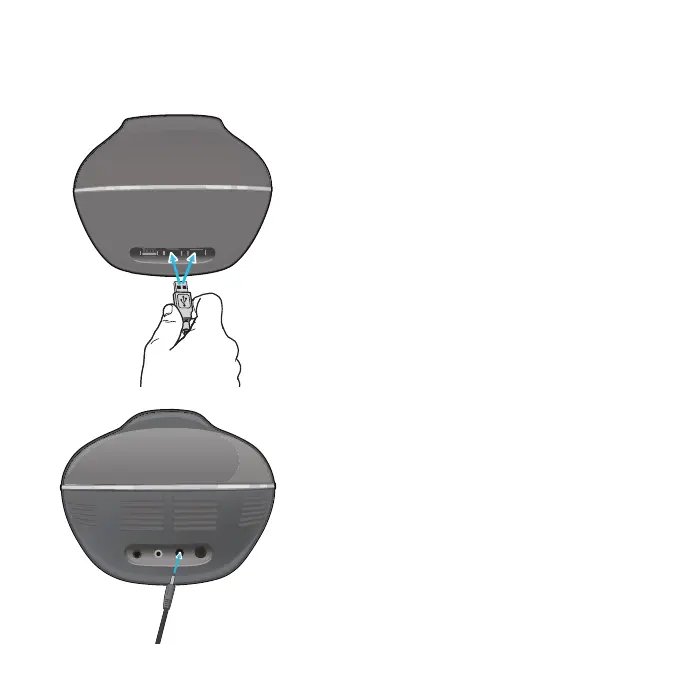
Connect the USB Microphone’s plug to
the Mic1 or Mic2 jack.
5
Insert the small end of the AC adapter
into the POWER IN jack on the rear of
the unit. Insert the other end (with the
2 blades) into a conveniently located
AC outlet having 110-240V AC,
50/60Hz.
Notes:
• Make all connections before connecting to
AC power.
• Do not touch the AC adapter with wet
hands.
• Do not use with any other AC adapter.
• Do not drop or tap the mic as damage to the
mic or speakers may occur. Do not spin the
microphone around for the same reason.
• You can also connect this unit’s audio cable
to a stereo; see the audio equipment’s User
Guide.


 To Next Page