— E8 —
Wi-Fi & Settings
1
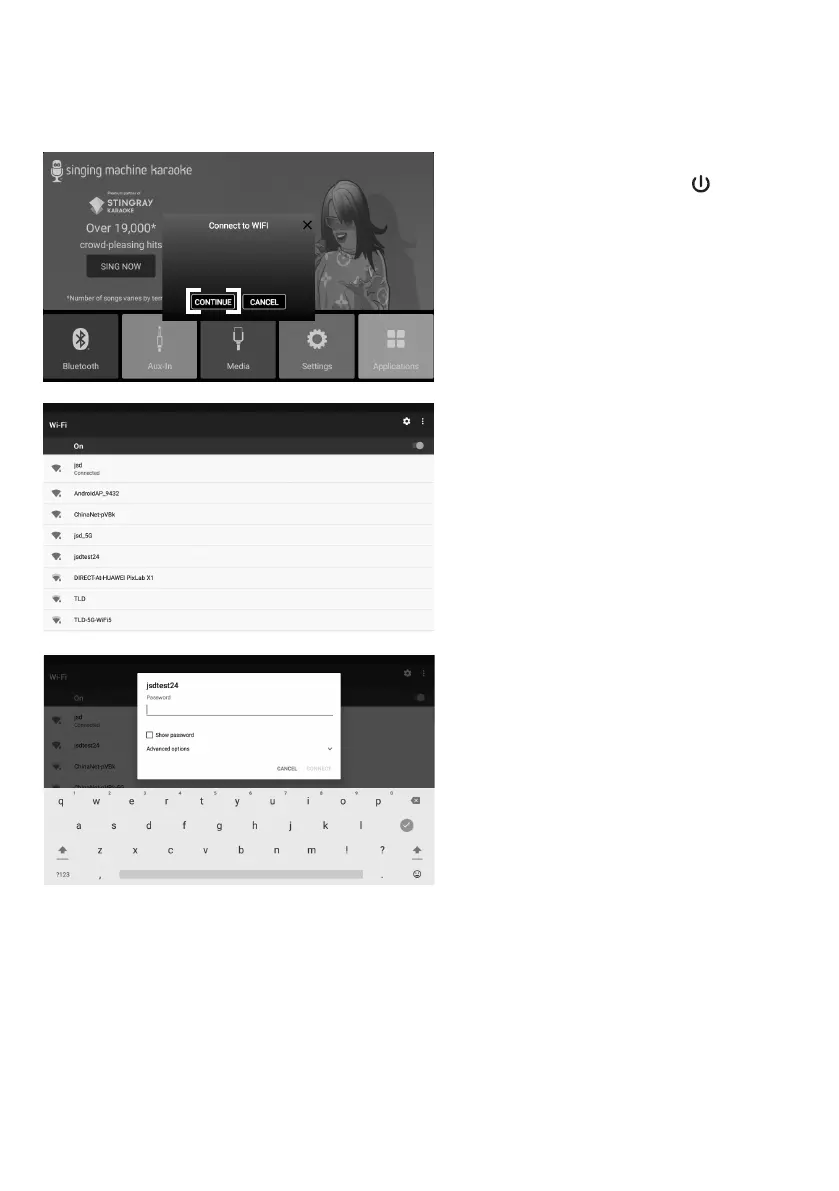
Connect the unit as described
previously. Press the button to
turn the unit on. The set up Wi-Fi
connection window will pop up.
Select CONTINUE on the touch
screen.
2
Select your Wi-Fi network using
the touch screen.
3
Use the keyboard on the touch
screen to enter your Wi-Fi
password and press the ENTER
button. “Connected” will appear if
the connection is successful.
If unsuccessful, check your
password and Wi-Fi frequency and
re-connect.
Operation


 To Next Page