— E9 —
Wi-Fi & Settings (Continued)
Operation
4
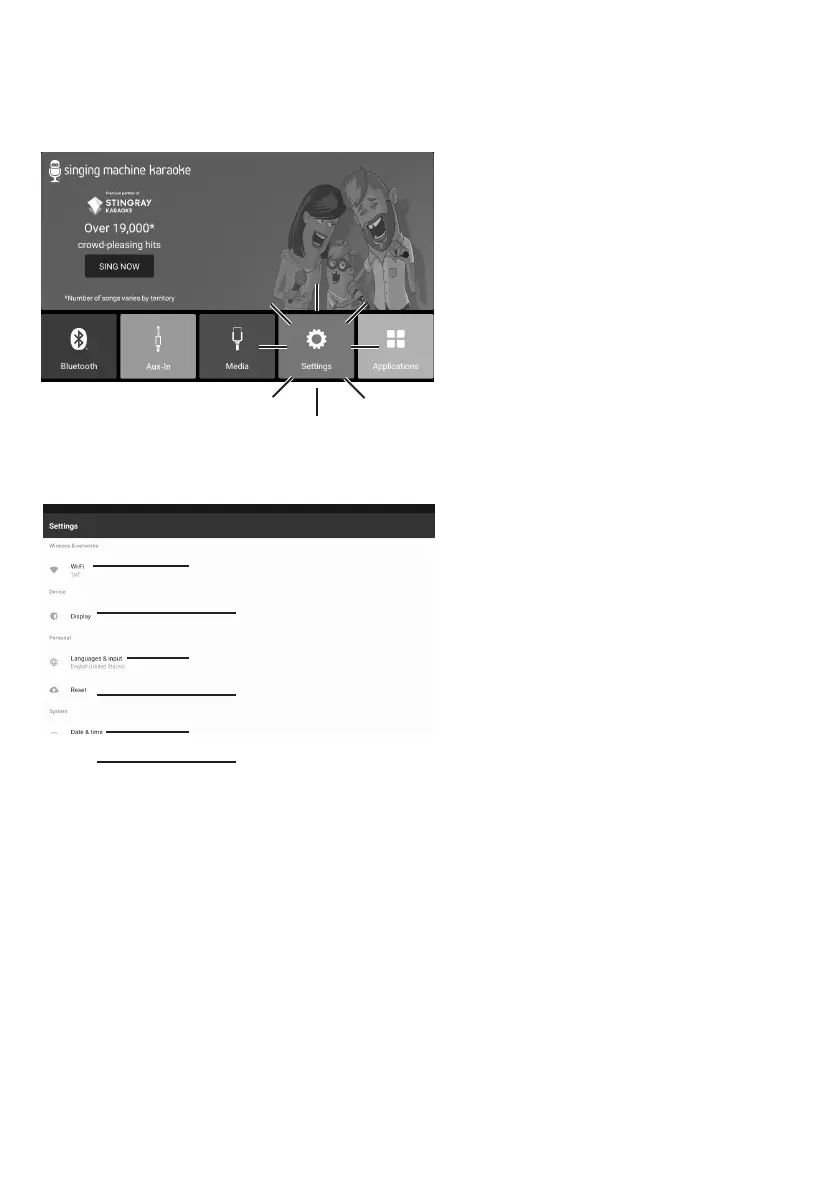
You can always change the
Wi-Fi network, by selecting the
SETTINGS icon on the touch
screen to enter Wi-Fi settings
mode.
5
Select WiFi and connect as
previously described, if you want
to connect to another network.
6
Select Display to setting the
brightness, Level and HDMI.
7
Select Languages & Input to
adjust the language and input.
8
Select reset to reset this unit to
factory settings.
9
Select Date & time to set the
date and time.
10
Select About to check
the current version and
serial number of this unit.
y
U
V
W
X
at


 To Next Page