— E10 —
Operation
1
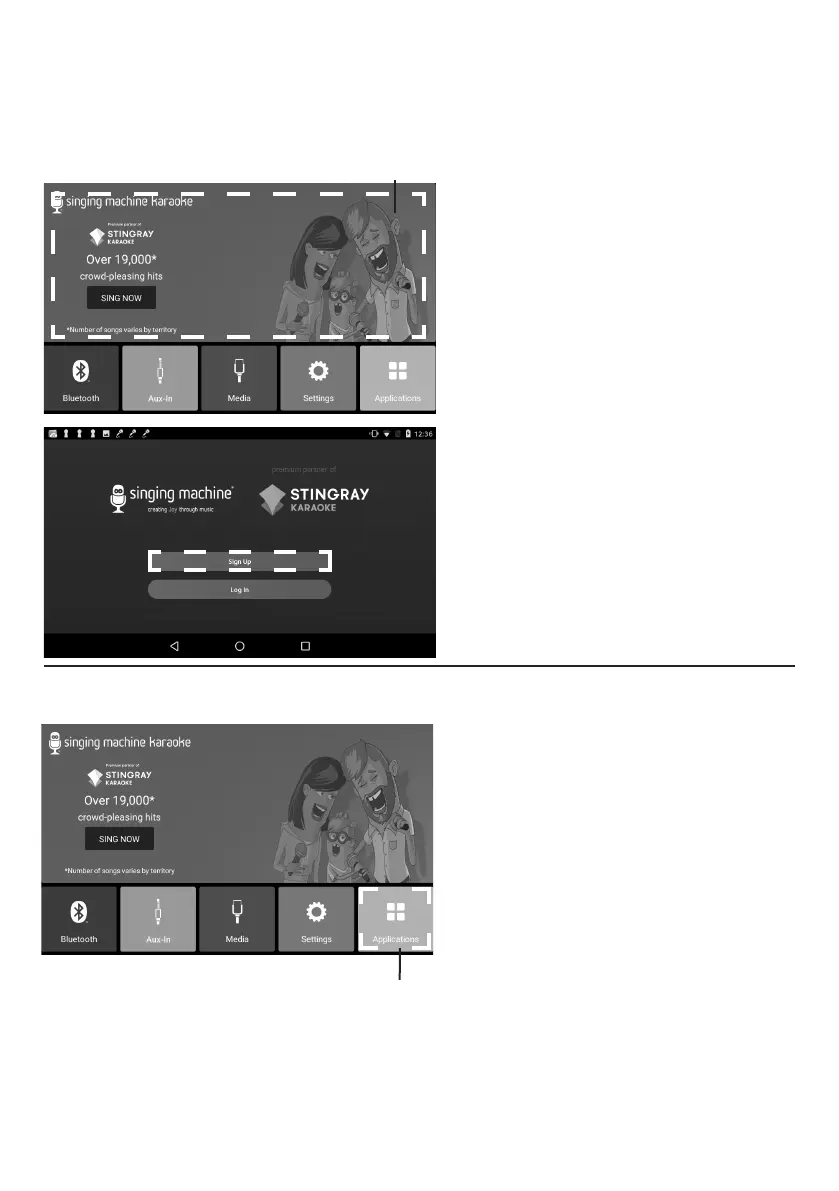
Select Singing Machine Karaoke
to enter Singing Machine Karaoke
Store page.
2
Select “Sign up” and follow the
on screen instructions to register
your machine.
3
After signing up, select "Log In"
to log into your account. Select
Singing Machine Karaoke at
home screen to go to the Singing
Machine Karaoke Store home
screen directly.
4
Select your favorite songs using
the touch screen to playback.
Accessing the Singing Machine Karaoke Catalog
Applications
1
Selecting APPLICATIONS displays
all built-in applications.
u
u


 To Next Page