— E11 —
1
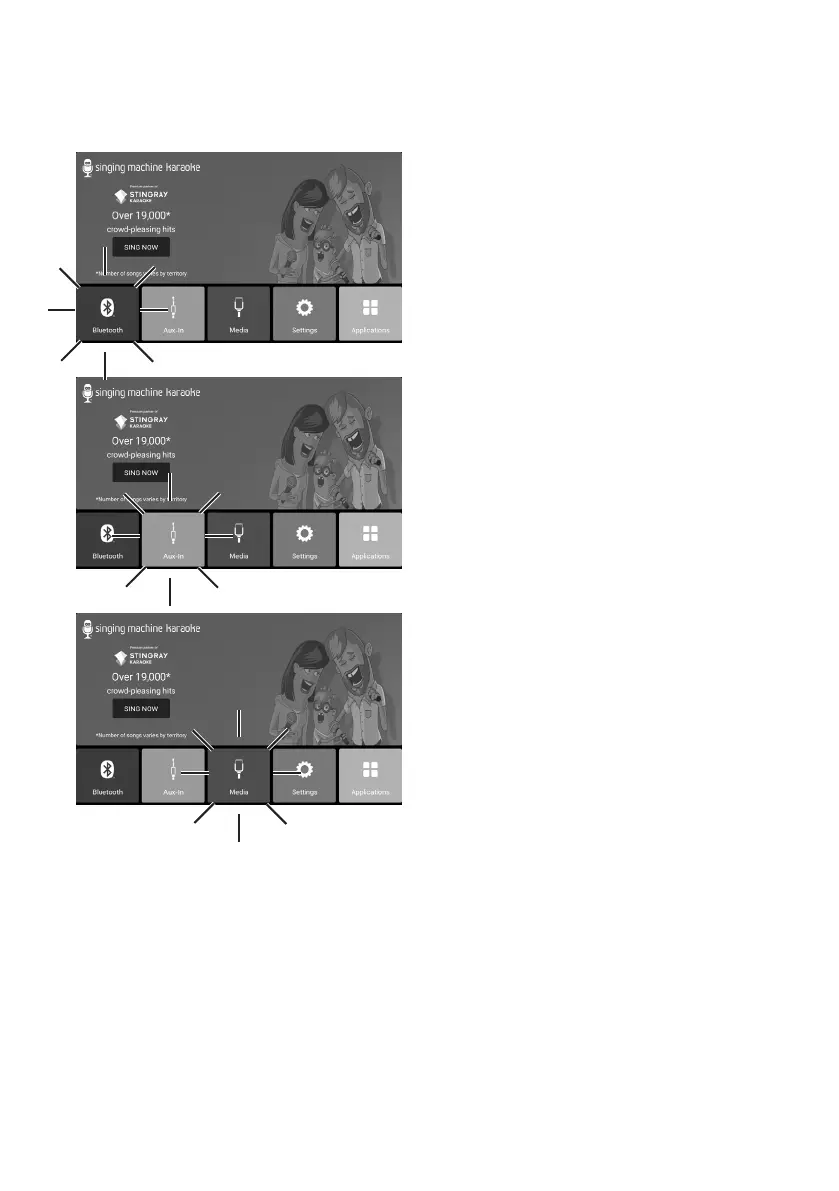
Select BLUETOOTH to enter the
bluetooth mode.
NOTE: The unit automatically searches
for and pairs a previously paired Bluetooth
device (if previously paired).
2
Select AUX-IN to enter the Aux in
mode.
NOTE: It must have been connected to
this unit and your audio device using a
3.5mm AUX cable (not included).
3
Select MEDIA to play internal or
USB recorded music.
NOTE:
If you want to play USB recorded music,
please insert the USB flash drive into the
USB port of this unit.
Operation
Other icons on the touch screen


 To Next Page