— E17 —
Operation
Using a Bluetooth Device (Continued)
5
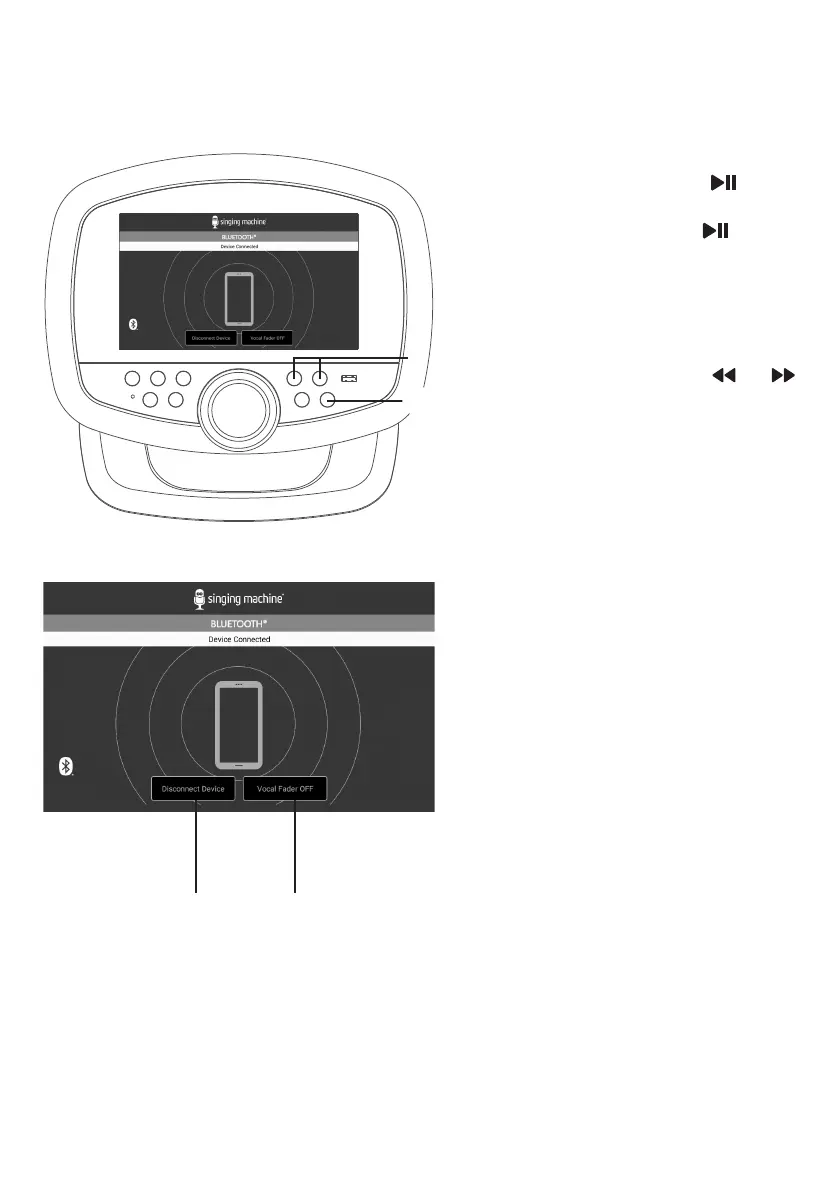
To control your Bluetooth device
from this unit, press the button
to start playback (music app must
be open). Press the
button
during playback to pause the song.
6
SKIP: Go back or advance one
track by pressing the or
button.
7
Press Disconnect Device
to disconnect the bluetooth
connection.
8
To sing without the lead singer
on the recording, press the Vocal
Fader OFF. To resume the lead
singer, press Vocal Fader ON.
NOTE: Lead vocal removal might work
better on some songs than others.
U
V W
y


 To Next Page