— E19 —
Operation
Using a Bluetooth Device (Continued)
12
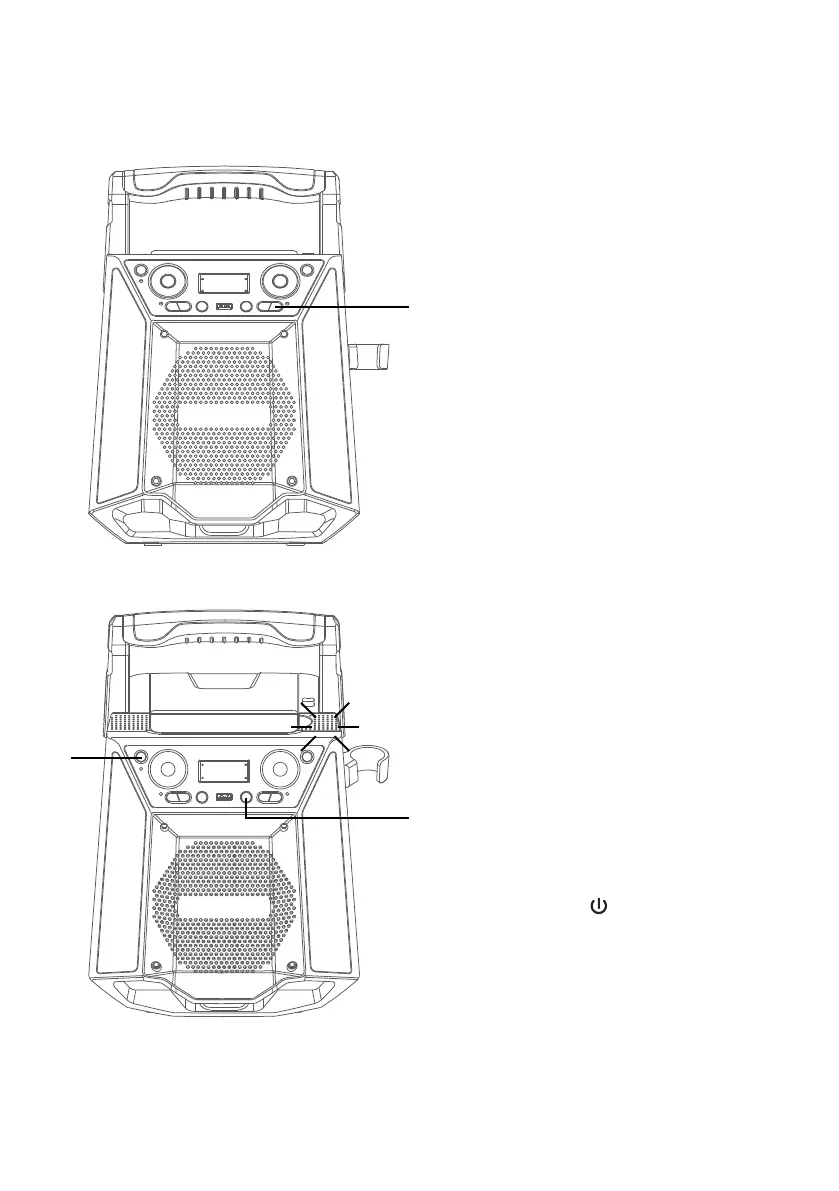
RECORD YOUR VOCAL
PERFORMANCE:
To record your singing as well as
the music, press the REC button.
Recording will begin and the
record indicator will light solid.
When done recording, press the
REC button again; the record
indicator will turn off.
Notes:
• A USB drive (not included) must be
inserted into USB slot to record.
• The recorded audio file will record onto
the USB drive.
• See section “Playing Songs from the
USB” to play back your recorded files.
13
To voice control your mobile
device, you can press the
VIRTUAL ASSISTANT WAKE
UP button and speak to the unit.
Remember you have to speak
to the Virtual assistant wake up
microphone which is located on
the top of the unit.
Note: The voice control function in using
Bluetooth connection mode only.
14
Press the button to turn the
unit off.
al
am
an















 To Next Page