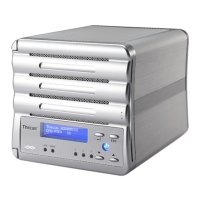
Front Panel
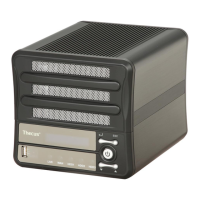
The Thecus N3200PRO’s front panel has the device’s controls, indicators, and
hard disk trays:
Front Panel
Item Description
Power LED • Solid blue: system is powered on
WAN LED
• Solid green: network link
• Blinking orange: network activity
LAN LED
• Solid green: network link
• Blinking orange: network activity
HDD 1 LED • Solid red: HDD failed
• Blinking orange: HDD activity
HDD 2 LED • Solid red: HDD failed
• Blinking orange: HDD activity
HDD 3 LED • Solid red: HDD failed
• Blinking orange: HDD activity
USB Port
• USB 2.0 port for compatible USB devices, such as digital
cameras, USB disks, USB printers, and USB wireless dongles*
Note: For supported USB wireless dongles, please contact
support@thecus.com
Power Button • Power on/off N3200PRO
• Solid blue: Device is powered on
LCD Display • Displays current system status and messages (Update time: 60
seconds).
Down Button ▼
• Push to scroll DOWN when using the LCD display
Up Button ▲
• Push to scroll UP when using the LCD display
Enter Button ↵
• Push to confirm information entered into the LCD display
Escape Button ESC • Push to leave the current LCD menu
10




 To Next Page
