Page | 8
1. Plug the heater to the electrical mains and switch ON. Switch the Power button
ON (located on the side of the control panel) and the Power indicator should light
up red.
2. Heating power mode selection
Press the Mode button to enter the power selection. Use the Up/Down button to
set the temperature you desire.
3. Time setting
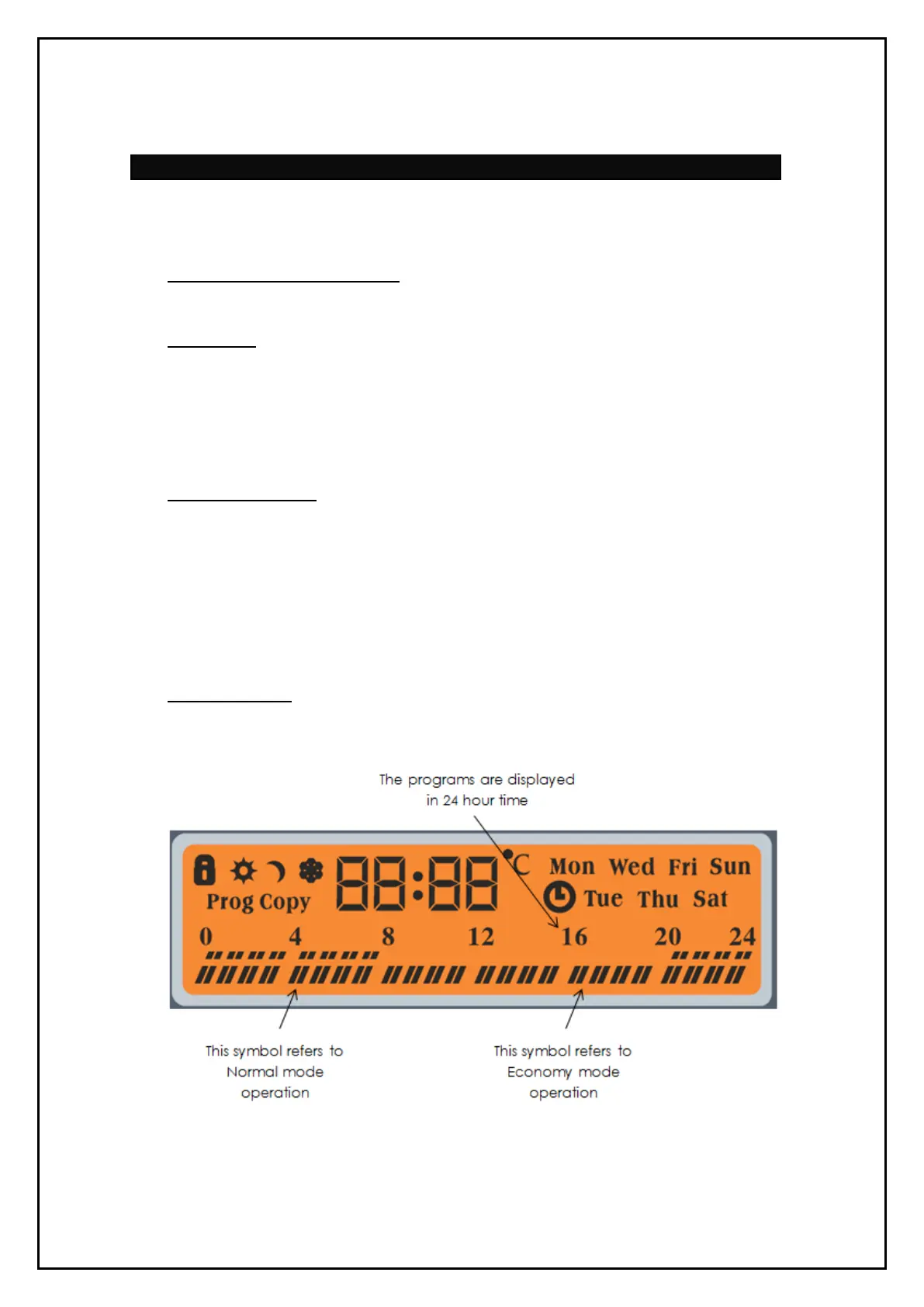
Press the Mode button 2 times to program a day. Use the Up/Down button to
select the day of the week you wish to set.
After the day is selected, press the Mode button to set the time in hours. Use the
Up/Down button to set the hour.
Once the hour has been selected, press the Mode button again to set the
minutes. Use the Up/Down button to set the minutes.
4. Temperature setting
The temperature can be set within the range of +5 to +30 degrees celsius in
increments of 1 degree.
The normal mode temperature is currently set at 24 degrees celsius and the
economy temperature is set at 17 degrees celsius.
To change the default temperatures, press the Heating temperature selection
button (tºc) once to adjust normal mode or twice to adjust economy mode. The
last set temperature will then start blinking on the screen. Press the Up/Down
button to adjust the temperature as desired.
5. Antifreeze mode
Press (tºc) button 3 times to select the antifreeze mode. The heater will
automatically maintain the temperature within +5 degrees celsius by switching
the heater on/off from time to time.


 To Next Page