Page | 7
CONNECTION TO ELECTRICAL MAINS
1. The heater is designed to be connected to 220V-240V single phase voltage mains
with a grounding circuit.
2. Prior to connection, make sure the parameters of electrical mains in the place of
connection comply with parameters indicated on the identification plate
outlining the technical data of the unit.
3. It is essential to follow active electrical safety precautions when connecting the
heater to the electrical mains.
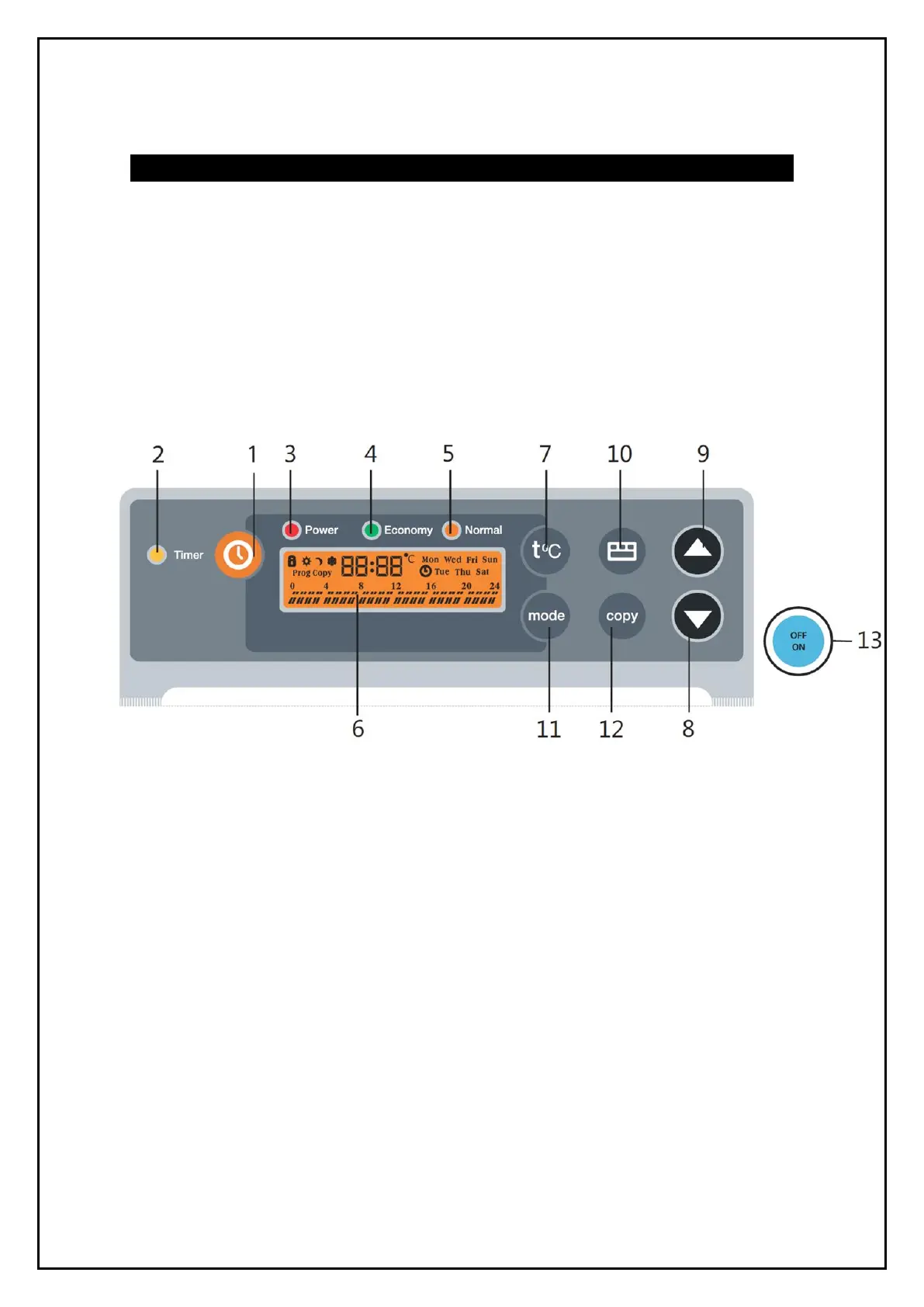
Control Panel
1. Timer button – Used to activate the timer function to switch off.
2. Timer indicator – This is illuminated when the heater is switched on/off and the
timer function is activated.
3. Power indicator – This is illuminated when the power switch is turned on when the
unit is connected to the electrical mains.
4. Economy mode indicator – This is illuminated when the heater is operating in the
economy mode.
5. Normal mode indicator – This is illuminated when the heater is operating in the
normal mode.
6. LCD display – Shows temperature, timer settings, heater power modes as well as
running programs. To switch the display, press and hold tºc button, for 3 seconds.
7. Heating temperature selection button – Used to set the heating temperature in
the normal and economy operating modes.
8. Down button – Used to decrease the selected value or scroll.
9. Up button – Used to increase the selected value or scroll.
10. Programming button – This is used to select programmes.
11. Mode button – Used to select the operation mode, low or high power.
12. Copy button – Used to copy settings.
13. Power button – Used to switch the heater on/off.


 To Next Page