EasyManua.ls Logo

Thermaltake ATX 12V 2.2 - User Manual

Thermaltake ATX 12V 2.2
12 pages
Print Icon
To Next Page IconTo Next Page
Loading...
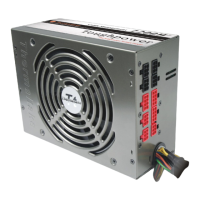
Toughpower
CableManagement 1200W ATX12V 2.2 & EPS 12V 2.91 Version
Toughpower
CableManagement 1200W ATX12V 2.2 & EPS 12V 2.91 Version
~ Embedded Socket and
Modularized Cable Management ~
ATX 12V 2.2 & EPS 12V 2.91
Fan
14cm
www.thermaltake.com thermaltake@thermaltake.com
2007 Thermaltake Technology Co.,Ltd. All Rights Reserved.
C
E161451
Toughpower
CableManagement 1200W
TM
297X 210 mm

Other manuals for Thermaltake ATX 12V 2.2

Questions and Answers

Summary

Introduction

1.1 Statement

Introductory statement about the product and manual, contact information for feedback.

Warnings and Cautions

Product Features

2.1 New 8-pin PCI-E Connector

Supports next-generation graphics cards with 8-pin connectors, downward compatible with 6-pin.

2.2 Excellent Efficiency

Offers up to 87% efficiency, reducing energy consumption and customer electricity bills.

2.3 140 mm Ball-Bearing Fan

Enhances airflow inside the PSU and decreases ambient temperature effectively.

2.4 Good Voltage Regulation

Features ±3% voltage regulation for increased system voltage stability.

2.5 High MTBF

Achieves over 120,000 hours of Mean Time Between Failures for high reliability.

2.6 Four Independent +12 V Rails

Provides four independent +12V rails to support high-end graphics cards and PC systems.

2.7 Cable Management

Enables users to remove unused cables, improving airflow and chassis tidiness.

2.8 Industrial Grade Components

Uses components specially designed for industrial environments and extreme conditions.

2.9 Hi-Tech Black Coating

Features a special Hi-Tech Black coating for a professional, elegant, and unique look.

2.10 High +5 VSB Output

Offers high +5VSB output to support up to 12 USB devices, even when the system is off.

Connectors & Modularized Cable Management

4.1 Main Power Connector (20+4 pin)

Details the 20+4 pin main power connector for ATX 12V 2.2 system motherboards.

4.1.2 CPU Connector (4+4 pin)

Describes the 4+4 pin connector for dual or single CPU systems.

4.1.3 CPU Connector (8 pin)

Details the 8 pin connector for supporting Quad Core system motherboards.

4.1.4 PCI-E Connector (8 pin)

Supports 8-pin sockets on high-end graphics cards and existing 6-pin sockets.

4.1.5 PCI-E Connector (6 pin)

Supports the latest high-end graphic cards with 6-pin sockets.

4.1.6 SATA Connector (5 pin)

Supports new generation high-speed SATA devices.

4.1.7 Peripheral Connector (4 pin)

Supports IDE/SCSI devices like HDD and CD/DVD drives.

4.1.8 Floppy Disk Connector (4 pin)

Supports Floppy Disk drives and some other additional devices.

4.2 Modularized Cable Management

Allows users to optimize cable arrangement for better airflow, tidiness, and system look.

Installation Steps

Step 1: Main Power Connection

Connects the 20+4-pin main power cable to the motherboard's 20-pin or 24-pin socket.

Step 2: Auxiliary Power Connection

Connects the 4+4-pin or 8-pin +12V connector to the motherboard.

Step 3: PCI-Express Connector

Connects the 6-pin or 8-pin PCI-Express connector to the graphics card.

Step 4: Peripheral Device Connection

Connects 4-pin power connectors to peripheral devices and floppy drives.

+12 V Rail Distribution & PCI-E Connectors

6.1 +12 V Rail Distribution

Details the +12V rail distribution across various connectors for the 1200W model.

6.2 PCI-E Connectors and +12 V Rails

Suggestions for connecting PCI-E connectors to graphic cards based on +12V rail distribution.

SPEC Table

7. SPEC Table

Provides detailed specifications including power, dimensions, input/output, environment, and protection.

Other Specification

8.1 Inrush Current

Specifies maximum inrush current at 115Vac and 230Vac cold start.

8.2 Power Efficiency

Details minimum power efficiency at full load and 115Vac input.

8.3 CE Requirements

Lists CE requirements for Conducted EMI, Safety Standards, and Harmonic.

8.3.3 Harmonic

Specifies harmonic compliance with IEC1000-3-2, Class D.

Trouble Shooting

9. Trouble Shooting

Provides guidance for common issues like no DC output or fans stopping.

Contact us

10. Contact us

Lists contact information for technical support and general inquiries in various regions.

Thermaltake ATX 12V 2.2 Specifications

General IconGeneral
BrandThermaltake
ModelATX 12V 2.2
CategoryPower Supply
LanguageEnglish

Related product manuals