
 Need help?
Do you have a question about the Thermaltake Dr.Power II and is the answer not in the manual?
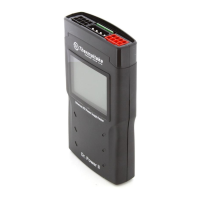
Initiates Mode A by pressing the CHECK button for less than 5 seconds, testing the 24-pin connector.
Tests PCI and CPU connectors sequentially in Mode A, displaying voltage and blue backlight if normal.
Tests MOX and SATA connectors in Mode A, showing voltage and blue backlight for normal operation.
Returns to the original state after testing all connectors in Mode A.
Indicates faults with red backlight and buzzer sound during Mode A testing.
Initiates Mode B by pressing CHECK for over 5 seconds, testing 24-pin connector for 5 seconds.
Automatically tests PCI, CPU, MOX, and SATA connectors in 5-second intervals in Mode B.
Completes Mode B tests, returns to original state, or indicates faults with red backlight and buzzer.
Key points for connector testing, including 24-pin requirement and fault indicators.
Infers PSU fault if no response, and warns against disconnecting during testing.
Confirms 24-pin connector must be connected for Dr. Power II operation and power.
Guides on checking connections, PSU power, and switch position for no response.
Explains how to initiate automatic scanning by holding the CHECK button.
Describes how to shut down the audio alarm by removing the PSU or 24-pin connector.
 General
| Brand | Thermaltake |
|---|---|
| Model | Dr.Power II |
| Category | Power Supply |
| Language | English |




 To Next Page