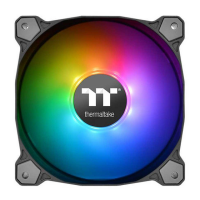
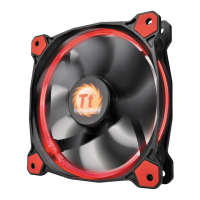
The Thermaltake Pure 12 ARGB Sync Radiator Fan TT Premium Edition is a high-performance cooling solution designed to enhance both the thermal management and aesthetic appeal of a PC system. This product integrates advanced Addressable RGB (ARGB) lighting with efficient fan operation, offering users extensive customization options and robust cooling capabilities.
Function Description:
The primary function of the Pure 12 ARGB Sync fan is to provide effective cooling for PC components, particularly radiators in liquid cooling setups. It is designed to move air efficiently through the radiator fins, dissipating heat generated by the CPU or GPU. Beyond its cooling role, the fan features integrated ARGB lighting, allowing users to synchronize lighting effects with other compatible components in their system. This synchronization is achieved through a dedicated ARGB controller and compatibility with major motherboard RGB software platforms such as ASUS Aura Sync, MSI Mystic Light Sync (JRGB), and GIGABYTE RGB Fusion. The fan's design aims to deliver a balance between airflow, static pressure, and low noise operation, crucial for maintaining optimal system performance and acoustics.
Important Technical Specifications:
The product includes three Pure 12 ARGB Sync fans, an ARGB controller, and various cables for installation and connectivity.
- Fans: The package contains three individual fans. While specific fan dimensions (e.g., 120mm) are implied by the "Pure 12" designation, detailed specifications like RPM range, airflow (CFM), static pressure (mm-H2O), and noise level (dBA) are not explicitly listed in the provided manual. However, as a radiator fan, it is expected to offer a good balance of airflow and static pressure to effectively push air through dense radiator fins.
- ARGB Controller: A key component is the ARGB controller, which manages the lighting effects of the connected fans. This controller allows users to switch between different lighting modes, adjust colors, and control light speed. It connects to the fans via a proprietary cable and receives power through a SATA connector.
- Mainboard Signal Bridge Cable: This cable facilitates synchronization with motherboard RGB software. It comes with different connectors to ensure compatibility with ASUS (Aura Addressable Strip Header), MSI (JRGB-strip Header), and GIGABYTE (AOURS RGB Fusion with Digital LEDs) motherboards. This cable is crucial for users who want to control the fan's lighting directly through their motherboard's software, creating a unified lighting ecosystem.
- PWM Cable: A PWM (Pulse Width Modulation) cable is included, indicating that the fans support PWM control. This allows the motherboard to dynamically adjust fan speed based on system temperature, optimizing cooling performance and noise levels.
- Mounting Hardware: The package includes 12 long screws and 12 short screws, providing options for mounting the fans to radiators or chassis fan mounts.
Usage Features:
The Thermaltake Pure 12 ARGB Sync fan offers several user-friendly features for installation, lighting control, and system integration.
- Easy Installation: The manual provides clear, step-by-step instructions for installing the fans onto a radiator. This involves properly orienting the fans and securing them with the provided screws. The fans are designed to be connected in series, simplifying the wiring process for multiple fans.
- ARGB Controller Functionality: The dedicated ARGB controller offers intuitive control over the fan's lighting.
- Light Mode: Users can cycle through 7 distinct LED modes: Rainbow, Full light, RGB Spectrum, Off, Flow, Ripple, Pulse, and Blink. This variety allows for diverse aesthetic preferences.
- Color Mode: Depending on the selected light mode, users have different color adjustment options.
- In "Full Lighted," "Pulse," and "Blink" modes, there are 8 fixed LED colors to choose from: Red, Yellow, Green, Teal, Blue, White, Purple, and Rainbow.
- In "Ripple" mode, there are 7 fixed LED colors available: Red, Yellow, Green, Teal, Blue, White, and Purple.
- In "RGB Spectrum" mode, the controller allows users to "memorize and lock" a specific color from the 256-color auto-rotation spectrum. Clicking again unlocks the auto-rotation.
- In "Wave" and "Flow" modes, the LED color cannot be adjusted, as these modes typically feature dynamic, multi-color effects.
- Light Speed: The controller allows users to adjust the speed of the lighting effects across 4 settings: Slow, Normal, Fast, and Extreme, providing further customization.
- Motherboard SYNC Compatibility: For users with compatible motherboards, the Mainboard Signal Bridge Cable enables synchronization of the fan's ARGB lighting with the motherboard's RGB software. This allows for a unified lighting scheme across all compatible components in the PC. The manual specifically highlights compatibility with ASUS Aura Addressable Strip Headers, MSI JRGB-strip Headers, and GIGABYTE AOURS RGB Fusion with Digital LEDs.
- PWM Control: The inclusion of a PWM cable means the fan speed can be intelligently controlled by the motherboard. This allows the system to automatically adjust fan RPM based on thermal load, ensuring optimal cooling when needed and quieter operation during lighter tasks.
- Series Connection: The fans are designed to be connected in series for their ARGB lighting, simplifying cable management and reducing the number of individual connections to the ARGB controller.
Maintenance Features:
While the manual does not explicitly detail maintenance features, the design of the product implies standard practices for PC cooling components.
- Dust Management: As with all PC fans, periodic cleaning to remove dust accumulation from the fan blades and radiator fins is crucial for maintaining optimal performance. Dust can impede airflow and reduce cooling efficiency.
- Cable Management: The modular nature of the cables and the series connection for ARGB lighting facilitate neater cable routing, which can contribute to better airflow within the PC case and easier access for maintenance.
- Software Updates: For motherboard SYNC functionality, ensuring that the motherboard's RGB software and drivers are up to date is important for stable operation and access to the latest features.
- Connection Integrity: Regularly checking the integrity of all connections (PWM, ARGB, SATA power) ensures reliable operation. The manual specifically cautions users to power off the PC and check positive and negative ends before connecting the mainboard signal bridge cable to prevent damage, emphasizing the importance of careful handling during installation and any subsequent maintenance.
In summary, the Thermaltake Pure 12 ARGB Sync Radiator Fan TT Premium Edition is a comprehensive cooling and aesthetic solution for PC enthusiasts. It combines efficient fan performance with extensive ARGB lighting customization, offering both standalone control via a dedicated controller and seamless integration with major motherboard RGB ecosystems. Its design focuses on ease of installation, flexible control options, and compatibility, making it a versatile choice for enhancing a PC's cooling and visual appeal.

 Need help?
 General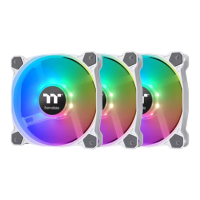

 To Next Page