46 THERMEX DAX B 540235068210082018
EnglIsH
»
USE OF THE HOOD
USE OF THE HOOD
This hood has:
• Front suction with 3 speeds
• Glass touch control panel
• Boost function
• LEDs
• Periodic extraction
• After-running
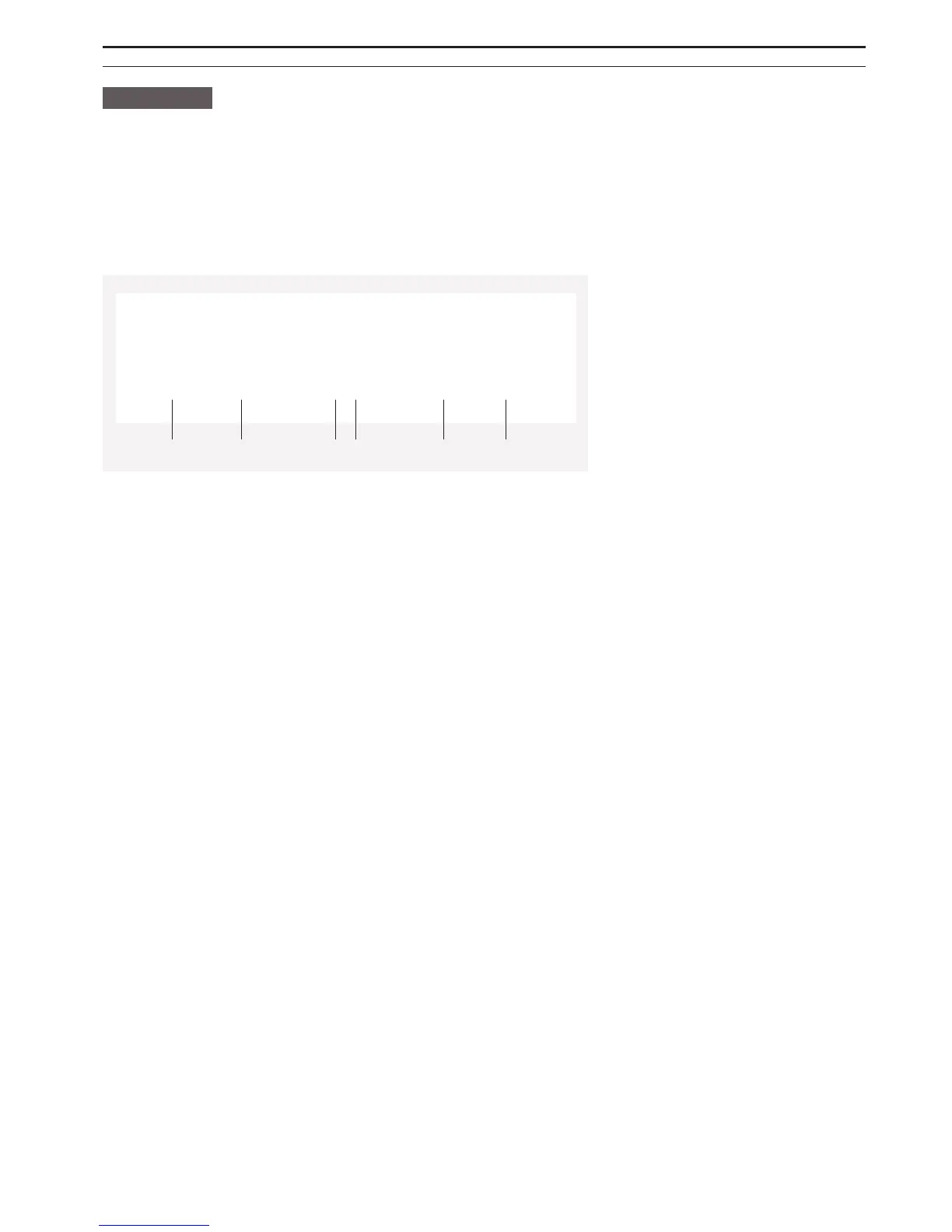
CONTROL PANEL
1. (-)-symbol
2. (+)-symbol
3. Indicator for speed
4. Panel indicator
5. On/o after-running
6. On/o light
When the display is activated, the symbols will light blue. The symbols will light as long as one of the functions are active. If all the functions are
switched o, the display will go into sleep mode after 20 seconds. When the display is in sleep mode, only the panel indicator will light.
The display is activated by activating one of the icons. The easiest way to do this is by guiding the hand over the glass plate where the display
is placed.
EXTRACTION
The motor is activated by pressing on the (+)-symbol when the display is active. The motor always starts at speed 1.
The motor speed is increased by pressing on the (+)-symbol and reduced by pressing on the (-)-symbol. The motor is switched o by pressing the
(-)-symbol until the indicator for speed reads 0.
The indicator for speed shows which speed the motor is running.
BOOST FUNCTION
Selecting level 4 on the hood activates the boost function. The hood will run at level 4 for approx. 5 minutes, after which it will drop down to
level 3 automatically.
LIGHT
The light in the hood is switched on and o by activating the on/o light icon.
PERIODIC EXTRACTION
Periodic extraction means that the hood starts once every hour at speed 1 for 10 minutes in order to change the air in the kitchen.
The periodic extraction is activated by holding the (-)-symbol for approx. five seconds when the motor is turned o. The function is activated
when the motor starts and the panel indicator flashes. When periodic extraction is activated the panel indicator will flash regardless whether the
hood is in operation or the display is on standby.
When the hood is in operation for 10 minutes during a period of one hour, the display will be activated and the speed indicator will not display any
speed, but the panel indicator will flash.
Periodic extraction is turned o by holding the (-)-symbol for approx. five seconds. When the panel indicator stops flashing, periodic extraction
is turned o.
AFTER-RUNNING
After-running means the motor will stop automatically a given number of minutes after this function has been activated. After-running can run
from 10 to 90 minutes, and runs at the selected speed.
After-running is activated in the following way:
• Switch on the hood to the desired speed.
• Press on the symbol on/o after-run.
1 2 3 5
-
+
3. T L
6
4



 To Next Page