EPD/HB/40521/
000
ELECTRONIC PERSONAL DOSEMETER HANDBOOK
OPERATING INSTRUCTIONS
ISSUE 5
Page 22
Thermo
3.2.5 Alarm Muting
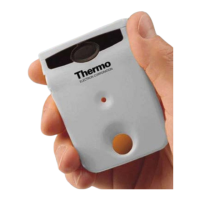
Alarm conditions cause the sounder to be activated and the alarm LED to
illuminate, subject to these facilities being enabled for the alarm. The appropriate
LCD alarm flag is always activated. The user can silence ( mute ) the alarm by
pressing and holding the button, provided mute is enabled on the alarm. This will
also extinguish the Alarm LED. However the LCD alarm flag remains set until
such time as the alarm condition is cleared.
Dose rate alarms are self muting when the dose rate falls below the alarm ‘off’
threshold level. Similarly dose alarms are self muting if the dose is cleared or the
thresholds suitably increased over the IR communications link.
Note that
if
the display backlight is enabled a short press of the button turns the
back-light on and temporarily silences any active alarm. This is because the EPD
unit battery cannot supply sufficient current for both backlight and sounder
together. After the display timeout period the backlight is automatically turned off
and the sounder re-enabled. Thus a short press may appear to mute the alarm
and confuse the user under such conditions. It is necessary therefore for the user
to remember that a long press is required to mute the alarm.


 To Next Page