EPD/HB/40521/
000
ELECTRONIC PERSONAL DOSEMETER HANDBOOK
OPERATING INSTRUCTIONS
ISSUE 5
Page 36
Thermo
3.5.10 Displaying/Setting Dose Rate Alarm On/Off Thresholds
To display and/or set dose rate
alarm ON thresholds, press and
hold the button until this top-level
display appears:
Three sub-displays are available (in the following sub-display order):
♦ 1
st
Hp(10)/h Dose Rate Alarm ON
♦
2
nd
Hp(10)/h Dose Rate Alarm ON
♦
Hp(0.07)/h Dose Rate Alarm ON
To display and/or set dose rate
alarm OFF thresholds, press the
button until this display appears:
Three sub-displays are available:
♦
1
st
Hp(10)/h Dose Rate Alarm OFF
♦ 2
nd
Hp(10)/h Dose Rate Alarm OFF
♦
Hp(0.07)/h Dose Rate Alarm OFF
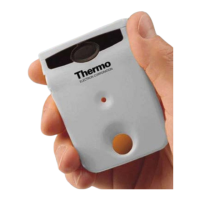
The EPD can perform the role of a ‘personal alarming’ EPD with alarm thresholds
for dose rate. There are two Hp(10)/h dose rate alarms and a single Hp(0.07)/h
dose rate alarm that can de displayed. The 2
nd
Hp(10)/h dose alarm has the
higher priority and should always be set to a higher value than the 1
st
Hp(10)/h
alarm. The alarm thresholds can be modified by the user, if required, but only
when the EPD default setting is set to ‘adjustable’. The user is barred from
modifying the thresholds if the EPD default is set to ‘not adjustable’. These
default settings can only be set via the IR communications link.
The dose rate alarm thresholds can be set using the button as follows:
10
µSv/h, 50µSv/h, 100µSv/h, 500µSv/h, 1mSv/h, 5mSv/h, 10mSv/h,
50mSv/h, 100mSv/h, 500mSv/h, 1.0Sv/h
Other values for the dose rate alarm thresholds may be set via the IR
communications link.


 To Next Page