EPD/HB/40521/
000
ELECTRONIC PERSONAL DOSEMETER HANDBOOK
OPERATING INSTRUCTIONS
ISSUE 5
Page 38
Thermo
Notes
:
1. The ‘On’ threshold must always be greater than or equal to the ‘Off’
threshold.
2. If an attempt is made to set the ‘On’ threshold below the ‘Off’ threshold the
‘Off’ threshold will be set automatically to the same value as the ‘On’
threshold.
3. If an attempt is made to set the ‘Off’ threshold above the ‘On’ threshold the
‘Off’ threshold will be set automatically to the same value as the ‘On’
threshold.
3.5.11 Setting The Sounder
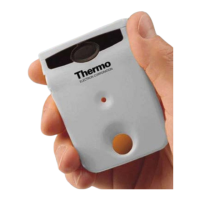
To change the EPD sounder
settings, press and hold the
button until this top-level
display appears:
Three sub-displays are available (in the following sub-display order):
♦ Button Beep Enable/Disable
♦
Dose Chirp Adjustment
♦
Internal Counters Display
Note
: This option will not enable/disable the alarm sounder. Enabling/disabling
the sounder under alarm conditions can only be set via the IR
communications link (see Section 3.2.4).
Button Beep Enable/Disable
The EPD can be configured to beep every time the button is pressed. This
feature may be toggled 'on' and 'off' via the button, or via the IR communications
link (i.e.
EasyEPD2
).
Note
: If the button beep has been disabled via the button any subsequent
initialisation of the EPD will revert the button beep to ON (enabled). If the button
beep has been disabled via the IR communications link, the button beep will
remain disabled regardless of any subsequent EPD initialisation.
Short-press the button to display
the button beep enable/disable
window. To configure the beep
feature 'off' or 'on' double-press the
button while the EPD is displaying


 To Next Page