
 Need help?
Do you have a question about the Thermo Scientific Elite CTS and is the answer not in the manual?
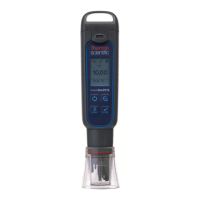
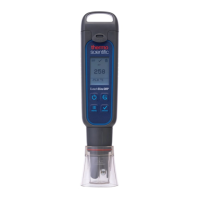
The Elite CTS Tester is a versatile handheld device designed for measuring conductivity, total dissolved solids (TDS), and salinity in various applications. It features a user-friendly interface with a dot matrix display and intuitive button controls, making it suitable for both professional and casual use.
The Elite CTS Tester provides accurate measurements for three key parameters: conductivity, TDS, and salinity. It is equipped with a built-in temperature sensor for automatic temperature compensation, ensuring precise readings across a range of temperatures. The device allows users to set various measurement parameters, including the desired unit (°C/°F), TDS factor, and temperature coefficient. It supports both automatic and manual calibration for conductivity, while TDS and salinity require manual calibration. The tester also includes a "HOLD" function to freeze readings for convenient observation and an auto-off feature to conserve battery life. For maintenance, the sensor module is replaceable, and the device provides self-diagnostic messages to alert users about low battery or measurement errors.
The Elite CTS Tester is designed for ease of use, starting with battery replacement. It uses four AAA 1.5 V batteries, which are easily accessible by sliding off the battery cover and removing the battery plate. The device powers on with a dedicated button, and users can navigate through settings using the MENU and ENTER buttons.
Measurement Parameter Setting: Users can select between Conductivity, TDS, and Salinity measurements. The display clearly shows the selected parameter.
TDS Factor Setting: The TDS factor, which converts conductivity to TDS, can be adjusted between 0.40 and 1.00. The device allows users to either select a default setting or manually adjust it.
Backlight Settings: The display backlight can be toggled ON or OFF to improve readability in various lighting conditions.
Temperature Settings: Users can choose between Celsius (°C) and Fahrenheit (°F) units for temperature display. The device also allows for temperature calibration (Temp Cal) and adjustment of the temperature coefficient (Temp Coeff).
HOLD Function: This feature allows users to freeze the current measurement on the display for later observation, which is useful in situations where immediate reading is difficult.
User Reset and Factory Reset: The device offers options to reset all user-defined settings to default (User Reset) or to restore all settings, including calibration, to factory defaults (Fact Reset).
Applications: The Elite CTS Tester is suitable for a wide range of applications, including agriculture, aquaculture, aquariums and fish farms, boiler blow-down, drinking water hydroponics, verification of reverse osmosis system operation, electroplating rinse tanks, water and wastewater treatment, printing industry, and swimming pools.
Sensor Replacement: The sensor module is replaceable, allowing users to extend the life of the tester without purchasing a new device. If the tester fails to calibrate or provides fluctuating readings, the electrode likely needs to be changed. The replacement process involves twisting off the old sensor module, aligning the new module's tabs with the tester's slots, and securing it with O-rings. Recalibration is necessary after sensor replacement.
Self-Diagnostic Messages: The device provides helpful messages to inform users about its status:
Warranty: The instrument comes with a one-year warranty against manufacturing defects from the date of purchase.
 General
| Brand | Thermo Scientific |
|---|---|
| Model | Elite CTS |
| Category | Test Equipment |
| Language | English |




 To Next Page