Need help?
Do you have a question about the Thermo Scientific Nicolet RaptIR and is the answer not in the manual?
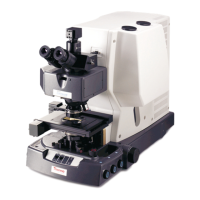
Describes the purpose and application of the Nicolet RaptIR FTIR Microscope in a laboratory setting.
Provides a disclaimer regarding the use of the microscope beyond its intended purpose.
Explains the formatting conventions used for safety precautions and important information in the guide.
Details the warranty period, limits, and conditions for the Nicolet RaptIR FTIR Microscope.
Details the main features and physical controls of the Nicolet RaptIR FTIR Microscope.
Identifies and describes the various connection ports on the back of the microscope.
Explains the function and operation of the optional joystick for stage and illumination control.
Details the optional trinocular eyepiece and its view selector for visual and camera output.
Introduces the OMNIC Paradigm software for operating the microscope and analyzing samples.
Guides the user through turning on the microscope and cooling the detector.
Outlines the steps for analyzing samples, including loading, capturing mosaics, and collecting spectra.
Explains how to use the optional slide-on attenuated total reflection (ATR) attachment for sample analysis.
Details how to find the region of interest, adjust illumination, and set the aperture for sample analysis.
Describes how to verify the microscope's performance using qualification and verification workflows.
Provides instructions on how to safely clean the microscope's optical components and surfaces.
Explains the maintenance of the liquid nitrogen dewar and symptoms of a vacuum leak.
Provides contact information for ordering replacement parts or arranging repairs.
 General
| Brand | Thermo Scientific |
|---|---|
| Model | Nicolet RaptIR |
| Category | Microscope |
| Language | English |


 To Next Page