Maintenance and Trouble Shooting Issue: 1.0
11-18 SAM12 User Manual Thermo Fisher Scientific
1. Check the cable connections between the Touch screen
keypad and the Controller board.
2.
Temporarily plug a spare LCD assembly into the
control board. If this solves the problem the original
Touch-pad is faulty and should be replaced as described
in LCD Display, Touch Screen, Touch Controller &
Backlight In
verter - Removal and Replacement (page
11-8)
3.
The fault is likely to be in the Controller board which
should be replaced as described in Replacement of the
Controller b
oard (page 11-6).
If, after power-up, or after exiting f
rom the main menu, the
SAM12 displays “Cannot Measure Background - Please Close
the Door”, a fault with the door switch system is likely.
Proceed as follows:
1.
Check that the door switch is working correctly by
selecting “Diagnostics/Vault”. The switch is situated in
the left hand vertical box section of the main frame and
is operated by closing the door. Replace any switches if
necessary.
2.
Check the continuity of the cable connecting the door
switch(s) to the Controller board.
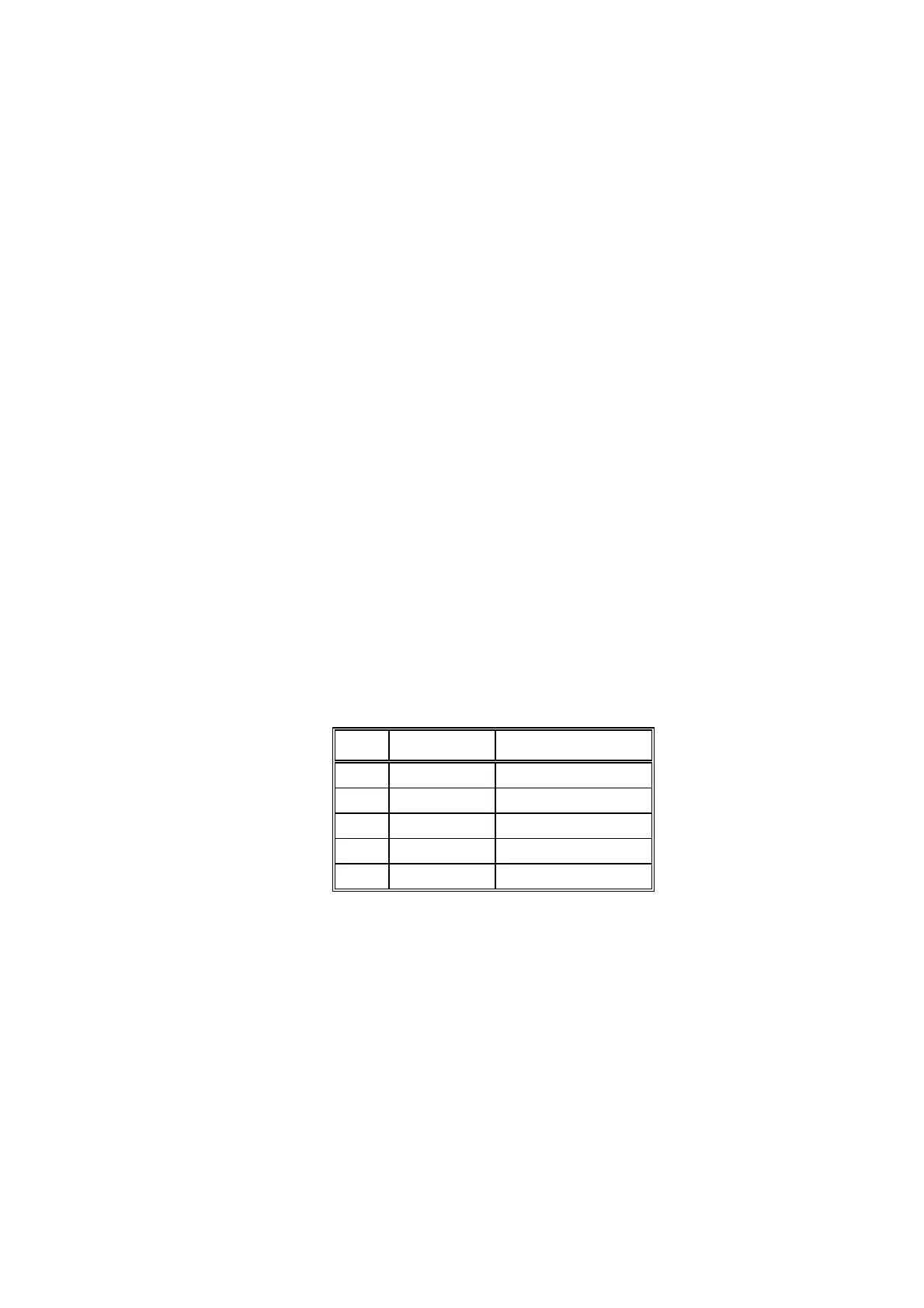
Table 4 - Summary of the Controller Board Inputs
Input Connection Function
IP1 PL24 Door Switch (dirty)
IP2 PL27 Solenoid Status (dirty)
IP3 PL28 Door Switch (clean)
IP4 PL29 Solenoid Status (clean)
IP5 PL20 Start Button
Replace the Controller board as described in Controller Board
type 5670A - Rem
oval and Replacement (page 11-6) if
the
switches are working correctly.
If the SAM12 has acquired a valid set of background readings,
but will not enter measurement mode when a sample is entered
and the Start switch is operated, proceed as follows:
1.
Check that the Start switch is working correctly by
using “Diagnostics/Vault”. The switch is situated in the
left hand side of the front panel. Replace if necessary.
Will not Enter Background
Mode
Locked in Background
Mode



 To Next Page