
 Need help?
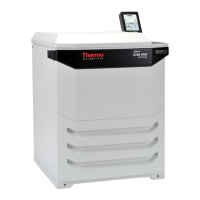
Do you have a question about the Thermo Scientific Sorvall BIOS16 and is the answer not in the manual?
Area on the screen for changing set values like speed, time, and temperature, subject to authorization.
Bottom interface buttons for controlling centrifuge operations: Start, Stop, Door Open/Close, and other functions.
Guided workflow for GMP compliance: user login, program selection, and product identification using barcodes.
Configure user access, system parameters, device settings, network, and contact information for full control.
Enables remote control functionality and defines access rules for the Centri-Vue application's connection.
 General
| Brand | Thermo Scientific |
|---|---|
| Model | Sorvall BIOS16 |
| Category | Laboratory Equipment |
| Language | English |



 To Next Page