EasyManua.ls Logo

Thermo Scientific STP-120 - User Manual

Thermo Scientific STP-120
42 pages
Print Icon
To Next Page IconTo Next Page
Loading...
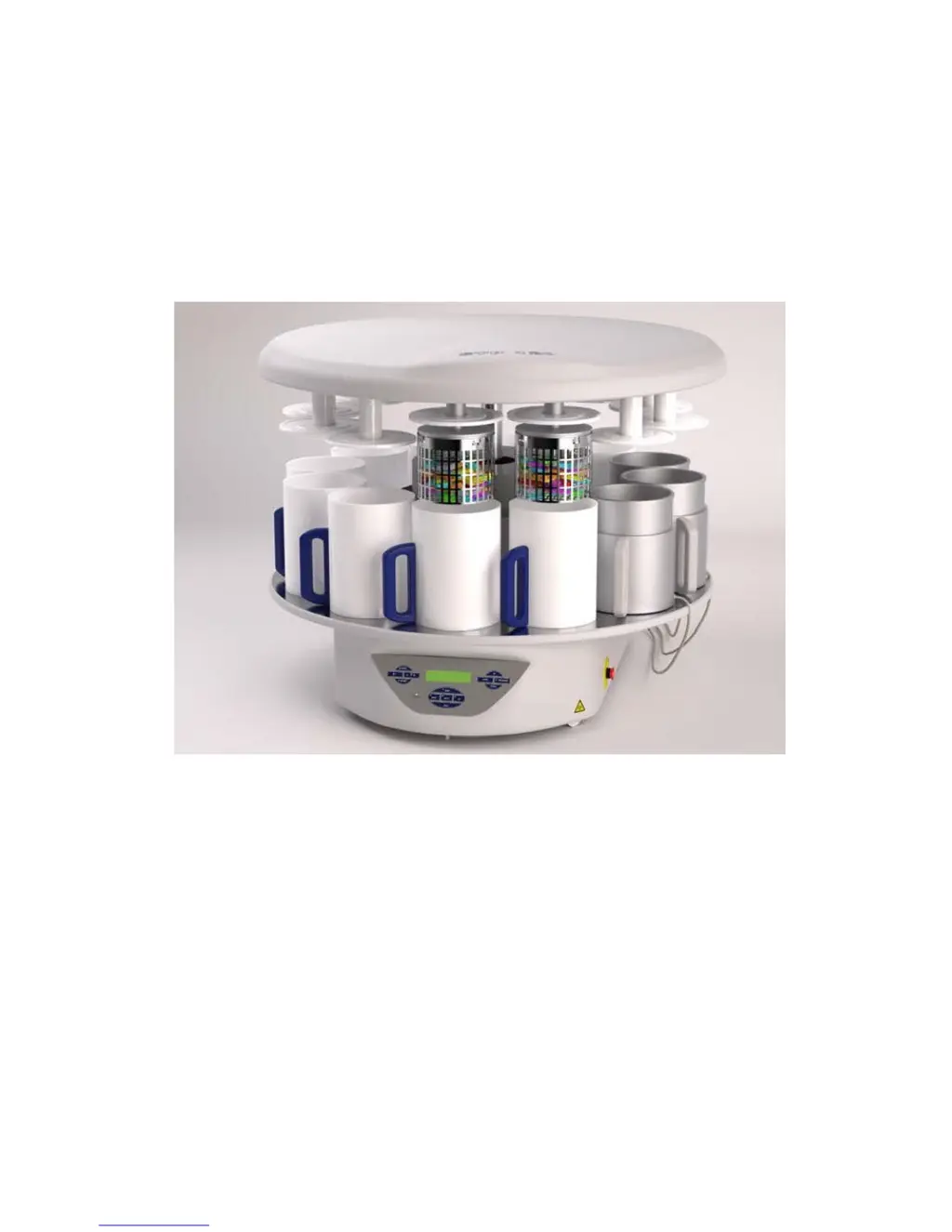
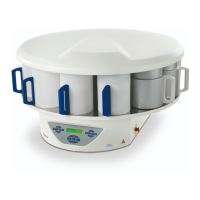
TISSUE PROCESSOR
STP-120
SERVICE MANUAL
Version 01/14

Questions and Answers

  • A
    Ashley WardAug 3, 2025
    How to troubleshoot a Thermo Scientific STP-120 unit that does not start?
    • J
      jonathan82Aug 3, 2025
      If your Thermo Scientific Computer Hardware unit isn't starting, begin by disconnecting it from the mains power supply. Inspect the mains power supply cable for any damage. Ensure the mains voltage matches the voltage indicated in the window beside the mains switch. If they don't match, change the operating voltage by using a screwdriver in the slot. Also, check the fuses (115V/4AT or 230V/2AT) and replace them if necessary, ensuring there is no short-circuit. Make sure the fuse is correctly inserted and the clips holding the fuse in the voltage selector make good electrical contact with the fuse body. Finally, connect the unit back to the mains power supply.
  • C
    Christopher ComptonAug 12, 2025
    What to do if the paraffin baths do not heat up on my Thermo Scientific Computer Hardware?
    • D
      Dean DavisAug 13, 2025
      If the paraffin baths in your Thermo Scientific Computer Hardware aren't heating up, start by checking the continuity of the heater circuit and the thermal circuit breaker. If there's no continuity in the heater circuit, contact your local distributor for a complete aluminum bath fitted with a heater, thermal circuit breaker, and temperature sensor. If there's no voltage at the output, the issue lies within the paraffin baths or the wiring between the BASCAR V15 circuit board and the connectors on the rear of the bath. Also, check the corresponding fuse; if it's blown, replace it and ensure there's no short-circuit in the output connector, cable, or bath. If there is no voltage at the input, replace the BASCAR V15 circuit board. You may also need to replace the ring transformer.
  • C
    Corey JohnsonAug 22, 2025
    Why is there no display on my Thermo Scientific STP-120?
    • L
      Leslie SimsAug 22, 2025
      If there is no display on your Thermo Scientific Computer Hardware, try adjusting the contrast by pressing the UP and DOWN keys simultaneously for a few seconds. Also, check the front keyboard and the flat strips between the front keyboard and the MICCAR V30 circuit board and change them if needed. Ensure the flat strips are firmly pushed home. If the issue persists, disconnect the unit from the mains power supply and replace the MICCAR V30 circuit board.

Summary

CERTIFICATION

GUARANTEE

SAFETY

EARTH CONNECTION OF THE INSTRUMENT

Ensures safety by connecting to earth network to prevent electrical shock injury.

MAINS VOLTAGE

Precautions for mains voltage operation, cover removal, and authorized personnel.

EXPLOSIVE ATMOSPHERES

Prohibits operation in areas with explosion risk.

RADIOACTIVE RADIATION

Advises following procedures for protection against radiation when working with specimens.

INFECTION RISK

Recommends using safety and disinfection for infectious specimens.

Technical Data

Applied Directives and Standards

Lists applicable directives and standards for electrical safety and EMC.

Tools and Materials Required

Troubleshooting Guide

Unit Not Starting

Addresses issues when the 'POWER' LED does not light up, including voltage checks.

Display Issues

Covers problems with the display not lighting up, showing lines, or displaying symbols.

Paraffin Bath Heating Failure

Details causes and troubleshooting steps for paraffin baths failing to heat.

System Warnings and Alarms

CHECK BATTERY Warning

Alerts when battery is not charging or charging system is defective. Requires acknowledgement.

POWER FAIL Alarm

Indicates a drop in mains voltage or power supply failure to circuit boards.

PROBE FAILURE Alarm

Signals no signal detection from temperature probes in paraffin baths.

SOLID PARAFFIN Status

Appears when the basket is moved manually before 4 hours of power, or after a power failure.

SAMPLES OUT Warning

Warns if basket remains out of recipients for >2 min or if start delay programmed.

CLOCK FAILURE Alarm

Indicates a malfunction in the RAM CLOCK on the MICCAR V30 circuit board.

HORIZONTAL FAILURE Alarm

Appears when the drive motor for rotation malfunctions or microswitch is damaged.

VERTICAL FAILURE Alarm

Indicates malfunction of the vertical movement drive motor or position sensors.

UNIT FAILURE Alarm

Signals a malfunction in control system sensors or microswitches detecting unit movement.

Sensor and Microswitch Indicators

Detector Status Verification

Component Replacement Procedures

Battery Replacement

Procedure for replacing the unit's battery.

Fan Replacement

Procedure for replacing the unit's fan.

Activated Charcoal Filter Replacement

Procedure for replacing the activated charcoal filter.

Mains Switch Replacement

Procedure for replacing the mains switch.

Bath Connector Replacement

Procedure for replacing the bath connectors.

Upper Part Dismantling

Adding a Second Basket

Procedure for adding a second basket to the unit.

Replacing Limit Switches and Detectors

Procedure for replacing limit switches and detectors.

Replacing Motors

Procedure for replacing the unit's motors.

Component Location and Identification

Spare Parts List

Appendix

Wiring Diagrams

Contains wiring diagrams for the STP 120 Tissue Processor.

BASCAR V15 Circuit Board

BASCAR V15 Component List

Lists components for the BASCAR V15 circuit board.

MICCAR V30 Circuit Board

MICCAR V30 Component List

Lists components for the MICCAR V30 circuit board.

Thermo Scientific STP-120 Specifications

General IconGeneral
BrandThermo Scientific
ModelSTP-120
CategoryComputer Hardware
LanguageEnglish

Related product manuals