www.thinkcar.com
THINKCAR
6
2. Introduction
2.1 Product Profi le
THINKTOOL is a new generation modular intelligent diagnostic equipment based on Android 10 system
developed by THINKCAR. Featured with our unique modular design, THINKTOOL can be widely applied
various scenarios. The functional modules for THINKTOOL includes printer, videoscope, worklight,
battery tester, thermal imager, oscilloscope, module dock, wireless TPMS diagnostic module.THINKTOOL
integrates 28 commonly used maintenance and reset service functions, with the additional wireless TPMS
diagnostic tool, you are able to perform TPMS diagnostic function. THINKTOOL is a highly cost-eff ective
solution for automotive diagnostics.
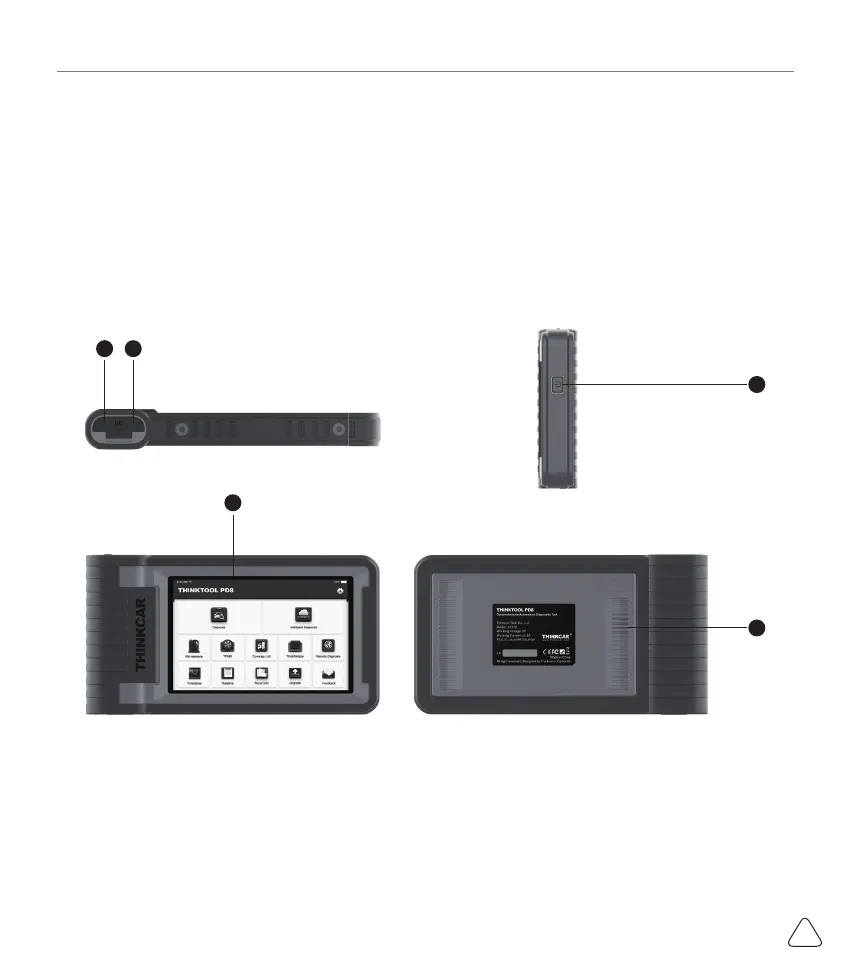
2.2 Components & Controls
(1) Display
(2) Power Key
Press and hold it for 3 seconds to turn it off .
Press and hold it for 8 seconds to perform forced shutdown.
Press it once to activate or turn off the device.
(3) Type C Charging Slot: connect the supplied charger for charging
(4) USB Port: Reserved for add-on modules and other devices with similar port.
(5) Speaker
43
1
2
5



 To Next Page