Need help?
Do you have a question about the Thinkcar THINKTOOL and is the answer not in the manual?
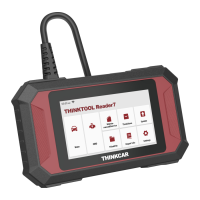
Connect the THINKTOOL Reader to the vehicle's OBDII port for initial setup and operation.
Turn on the THINKTOOL Reader and connect it to a Wi-Fi network for software updates and functionality.
Details the eight core functions of the THINKTOOL Reader, including Scan, OBD, Maintenance, ThinkStore, and Repair Info.
Configure basic settings like Wi-Fi, screen brightness, language, time zone, feedback, and firmware updates.
Provides answers to common troubleshooting questions regarding device response, data stream issues, and software upgrades.
Outlines the warranty policy for THINKCAR TECH products and provides contact information for customer service.
 General
| Brand | Thinkcar |
|---|---|
| Model | THINKTOOL |
| Category | eBook Reader |
| Language | English |


 To Next Page