Tasks
Touchgestures(touchmodelsonly)
Mouseactions
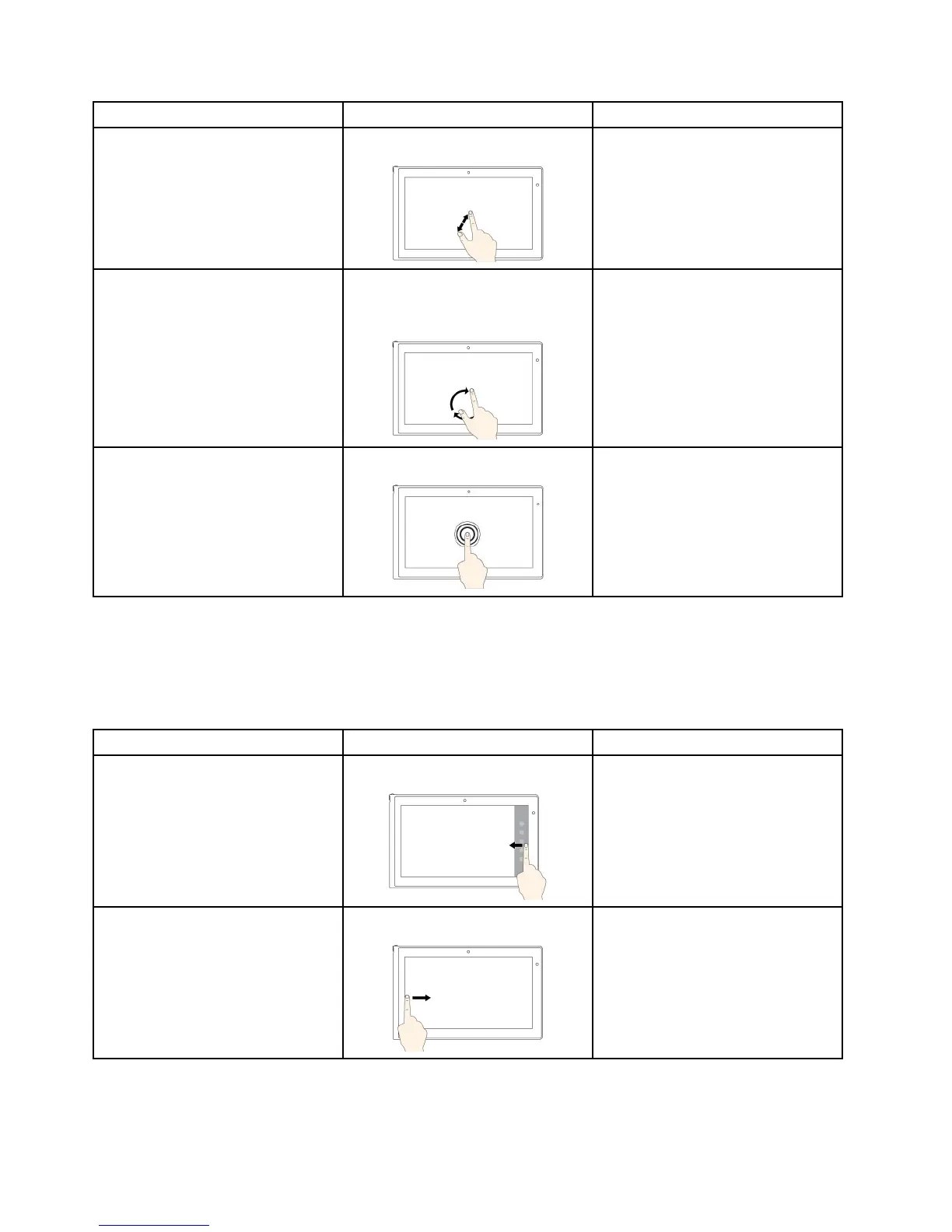
Tozoomin
Movetwofingersfartherapart.
PresstheCtrlkeywhilescrollingthe
mousewheelforward.
Torotateanitem
Puttwoormorefingersonan
item,andthenrotateyourfingers
(supportedonlyonsomemodels).
Iftheapplicationsupportsrotation,
clicktherotationicon.
ToopenamenuwithmultipleoptionsTapandhold.Double-click.
TouchgesturesandmouseactionsforWindows8andWindows8.1operatingsystems
Thefollowingtablelistssometouchgesturesandthecorrespondingmouseactionssupportedbythe
Window8andWindows8.1operatingsystems.
Note:Yourcomputerscreenmightlookdifferentfromthefollowingillustrations.
Tasks
Touchgestures(touchmodelsonly)
Mouseactions
Todisplaythecharmsthatcontain
systemcommands,suchasStart,
Settings,Search,Share,and
Devices
Swipeinfromtherightedge.
Movethepointertothebottom-right
ortop-rightcornerofyourscreen.
Tocyclethroughandswitchtoopen
applications
Swipeinfromtheleftedge.
Movethepointertothetop-leftcorner
ofyourscreen,andthenclick.Keep
clickingtocyclethroughtheopen
applications.
24UserGuide



 To Next Page