EasyManua.ls Logo

THOMSON 513630 - User Manual

THOMSON 513630
12 pages
Print Icon
To Next Page IconTo Next Page
Loading...
www.thomsonsecurity.eu
V2
EN
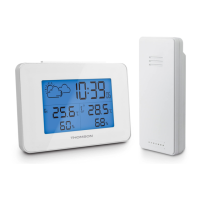
Wireless weather station
513630
Backlight
12h/24h
Alarm cloc
k
1
Calendar
Question and Answer IconNeed help?

Do you have a question about the THOMSON 513630 and is the answer not in the manual?

Summary

A - Safety Instructions

Operating Precautions

General guidelines for safe installation and use of the weather station to prevent damage or injury.

Maintenance and Cleaning

Instructions for cleaning the weather station using a soft, damp cloth and avoiding abrasive substances.

Recycling Instructions

Information on proper disposal of the product and batteries as electronic waste.

B - Product Description

Contents of the Kit

Lists all components included in the package, such as the weather station and mains adaptor.

Weather Station Overview

Diagram detailing the main components and features of the wireless weather station unit.

Main Functions

Details the key features and capabilities of the wireless weather station, including display and clock functions.

C - Configuration

Quick Start-Up

Step-by-step guide for initial setup, including battery insertion for the station and sensor.

Sensor Pairing

Instructions on how to automatically or manually pair the outdoor sensor with the weather station.

Time and Date Settings

Guide to setting the year, month, day, language, time format (12/24h), and time zone.

Alarm Settings

Instructions for setting the alarm hour, minutes, and snooze duration.

Automatic Time Update

Procedure for enabling automatic time synchronization via radio reception (DCF77).

Measurement Unit and Memory Settings

How to switch between Celsius/Fahrenheit and erase MIN/MAX values.

Weather Forecast Display

Explanation of the four weather forecast statuses (Sun, Clouds/clearing, Very cloudy, Rainy) and their icons.

D - Technical and Legal Information

Technical Characteristics

Detailed specifications including power supply, frequency, range, temperature/humidity limits, and dimensions.

Battery Replacement Guide

Information on battery types, life expectancy, and proper insertion for the station and sensor.

Warranty Information

Details the warranty period, coverage limitations, and conditions for voiding the warranty.

Help and Advice

Guidance on troubleshooting installation issues and contacting support for assistance.

Declaration of Conformity

Statement of compliance with EU directives and relevant standards for the wireless weather station.

Summary

A - Safety Instructions

Operating Precautions

General guidelines for safe installation and use of the weather station to prevent damage or injury.

Maintenance and Cleaning

Instructions for cleaning the weather station using a soft, damp cloth and avoiding abrasive substances.

Recycling Instructions

Information on proper disposal of the product and batteries as electronic waste.

B - Product Description

Contents of the Kit

Lists all components included in the package, such as the weather station and mains adaptor.

Weather Station Overview

Diagram detailing the main components and features of the wireless weather station unit.

Main Functions

Details the key features and capabilities of the wireless weather station, including display and clock functions.

C - Configuration

Quick Start-Up

Step-by-step guide for initial setup, including battery insertion for the station and sensor.

Sensor Pairing

Instructions on how to automatically or manually pair the outdoor sensor with the weather station.

Time and Date Settings

Guide to setting the year, month, day, language, time format (12/24h), and time zone.

Alarm Settings

Instructions for setting the alarm hour, minutes, and snooze duration.

Automatic Time Update

Procedure for enabling automatic time synchronization via radio reception (DCF77).

Measurement Unit and Memory Settings

How to switch between Celsius/Fahrenheit and erase MIN/MAX values.

Weather Forecast Display

Explanation of the four weather forecast statuses (Sun, Clouds/clearing, Very cloudy, Rainy) and their icons.

D - Technical and Legal Information

Technical Characteristics

Detailed specifications including power supply, frequency, range, temperature/humidity limits, and dimensions.

Battery Replacement Guide

Information on battery types, life expectancy, and proper insertion for the station and sensor.

Warranty Information

Details the warranty period, coverage limitations, and conditions for voiding the warranty.

Help and Advice

Guidance on troubleshooting installation issues and contacting support for assistance.

Declaration of Conformity

Statement of compliance with EU directives and relevant standards for the wireless weather station.

THOMSON 513630 Specifications

General IconGeneral
BrandTHOMSON
Model513630
CategoryWeather Station
LanguageEnglish

Related product manuals