RADIO PRESET FUNCTION
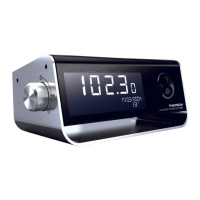
This unit lets you preset a total of 10 FM stations as your favourite stations and access them quickly.
1. Press MODE once to turn on the radio.
2. Press ϧʳor ϰʳto select the radio station that you want to preset.
3. Press and hold SET / MEM for 2 seconds until
blinks and “01” is displayed below the
radio frequency.
4. Press and hold SET / MEM for 2 seconds to store Memory 01.
stops blinking.
Presetting Memory 2 and other FM stations
1. Press MODE once to turn on the radio.
2. Press ϧʳor ϰʳto select another radio station you want to preset.
3. Press and hold SET / MEM for 2 seconds until
blinks and “01” is displayed on the bottom
left.
4. Press SET / MEM to select “02”, then press and hold SET/ MEM to store Memory 2.
5. Repeat steps 1-3 to preset up to ten FM stations.
6. To listen to a preset station at any time: press SET /MEM once to select a preset station while the
radio is on.
7. To edit a preset station, select another station and repeat steps 2-4. This replaces the original
setting.
USING THE SLEEP TIMER
You can use the Sleep Timer to control the light, radio, nature sounds or music before you go to sleep.
1. Press SLEEP. The SLEEP icon is displayed and
“120” (120 minutes) blinks. Press SLEEP
repeatedly to select a 120-, 90-, 60-, 45-, 30-, 15-, 10-, or 5-minute sleep timer.
2. The sleep timer is displayed for a few seconds, and then the display returns to showing the time.
The
icon will appear, showing the timer is activated.
3. The radio will play for the programmed sleep time and then stop. To check how much sleep time
remains, press SLEEP once.
4. To turn off the radio before the sleep time has elapsed, press and hold MODE for 2 seconds.
Note: you can use the SLEEP function to control the white LED light, changing-colour mood light,
nature sounds or the AUX function in the same way.



 To Next Page