- EN 5 -
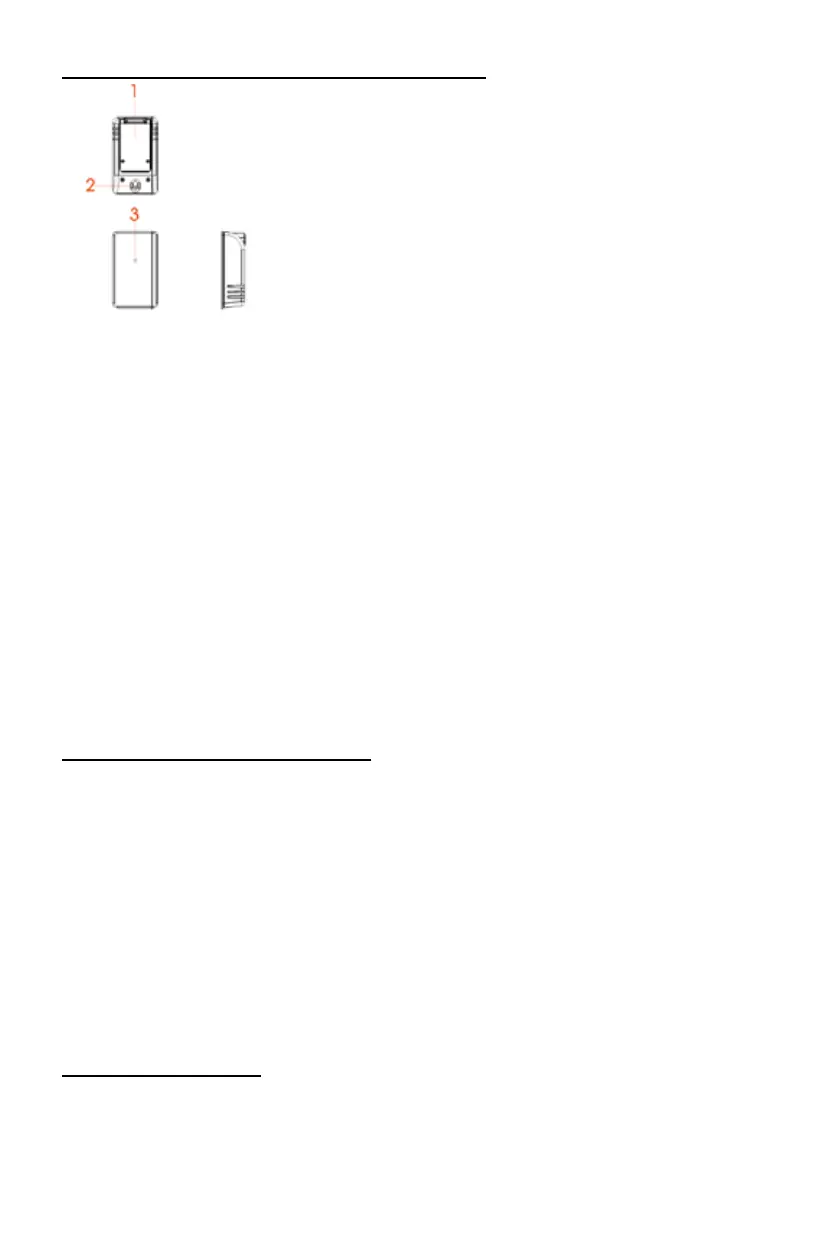
OUTDOOR TEMPERATURE & HUMIDITY TRANSMITTER
1) battery door
2) wall mount opening
3) LED indicator
CELSIUS-FAHRENHEIT: Press the stop button on “stand by” mode to choose between Celsius or
Fahrenheit.
Operation:
Open the battery door located behind the transmitter using a screwdriver.
Insert 2 x 1.5 V “AAA” batteries according to the polarity indicated.
Close the battery compartment cover.
The transmitter may be installed:
- either on the wall using a screw (not provided). Hang the transmitter by the opening located on the
back;
- or horizontally,
For better results:
- Do not expose the sensor to direct sunlight or humidity.
- Do not place the sensor more than 10 meters from the weather station.
- Minimize obstacles (doors, walls and furniture) between the sensor and the clock radio.
- Keep the transmitter away from metal or electronic objects.
TO SET THE CLOCK TIME & CALENDAR
1) In standby mode, press and hold the STANDBY/TIME SET BUTTON; the digital will blink on the
display.
2) Press the SKIP+ or SKIP- button to set the 12/24H format, then press STANDBY/TIME SET
BUTTON to conrm.
3) Press the SKIP+ or SKIP- button to set the DESIRED HOUR, then press the STANDBY/TIME SET
BUTTON to conrm.
4) Press the SKIP+ or SKIP- button to set the DESIRED MINUTE, then press the STANDBY/TIME
SET BUTTON to conrm.
5) Press the SKIP+ or SKIP- Button to set the DESIRED YEAR. Then press the STANDBY/TIME SET
BUTTON to conrm.
6) Press the SKIP+ or SKIP- button to set the DESIRED MONTH. Then press the STANDBY/TIME
SET BUTTON to conrm.
7) Press the SKIP+ or SKIP- button to set the DESIRED DAY. Then press the STANDBY/TIME SET
BUTTON to conrm.
TO SET THE ALARM TIME
1) In standby mode, press and hold the ALARM SET/FUNCTION button, the numbers will blink on
the display.
2) Press the SKIP+ or SKIP- button to set the DESIRED ALARM1 HOUR, then press the ALARM
SET/FUNCTION button again.


 To Next Page
 Loading...