EN
5
Function Overview
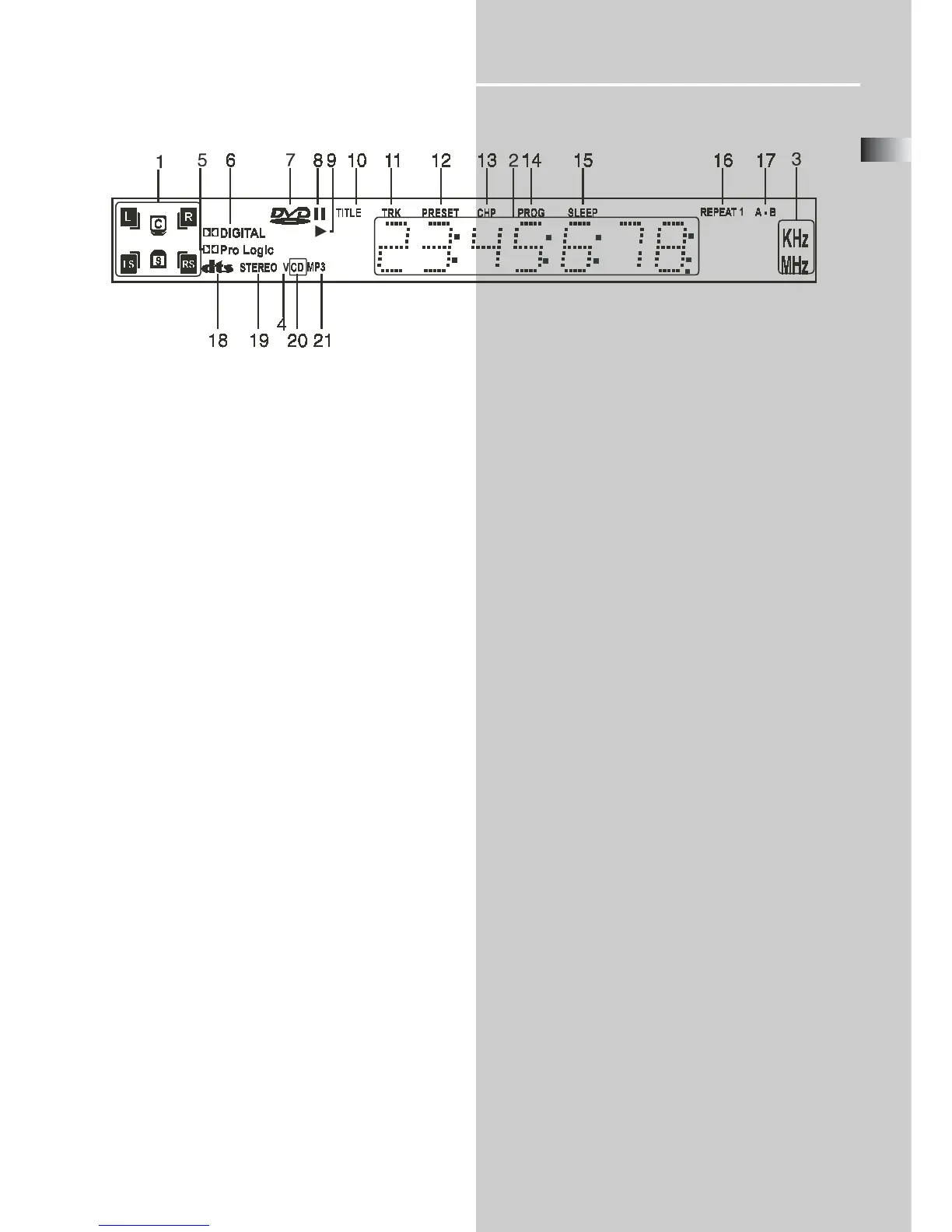
1. Speaker Icons - Indicates which of the six speakers is
operating.
2. Status Bar - Shows the operating information.
3. Frequency Unit Indicator - In AM mode, “KHz” lights up.
In FM mode, “MHz” lights up.
4. VCD indicator - Shows when VCD is playing.
5. Dolby Pro Logic - Shows when the playing disc is recorded
in Dolby Pro Logic format.
6. Dolby Digital indicator - Shows when the playing disc is
recorded in Dolby Digital format.
7. DVD indicator - Shows when a DVD is playing.
8. PAUSE indicator - Shows when playback is paused.
9. PLAY indicator - Arrow icon is lit during playback.
10. Title indicator - Shows the title number.
Display
11. Track Indicator - Shows the track number on CD.
12. Preset indicator - Shows the preset station.
13. Chapter indicator - Shows the chapter number.
14. Program indicator - Shows when programming is in
progress.
15. Sleep indicator - Shows when the sleep timer is acti-
vated.
16. Repeat indicator - Shows when the repeat function is
activated.
17. A-B indicator - Shows when the repeat AB function is
activated.
18. DTS indicator - Shows when the playing disc is recorded
in DTS format.
19. STEREO indicator - Shows when the playing disc is
recorded in STEREO format.
20. CD indicator - Shows when playing CD.
21. mp3 indicator - Shows when playing mp3 disc.



 To Next Page