52
Playing a disc
Image Functions
Changing images
Select a folder or an image with the C, B, ▲ or ▼ keys and press OK.
During the picture sequence change images using the PR
F
l
or PR
l
G
keys on the remote
control unit.According to the type of image (Kb or Mb) the change may take several seconds.
Note: after several seconds the information banner disappears.
You can redisplay it using the INFO key on the remote control.
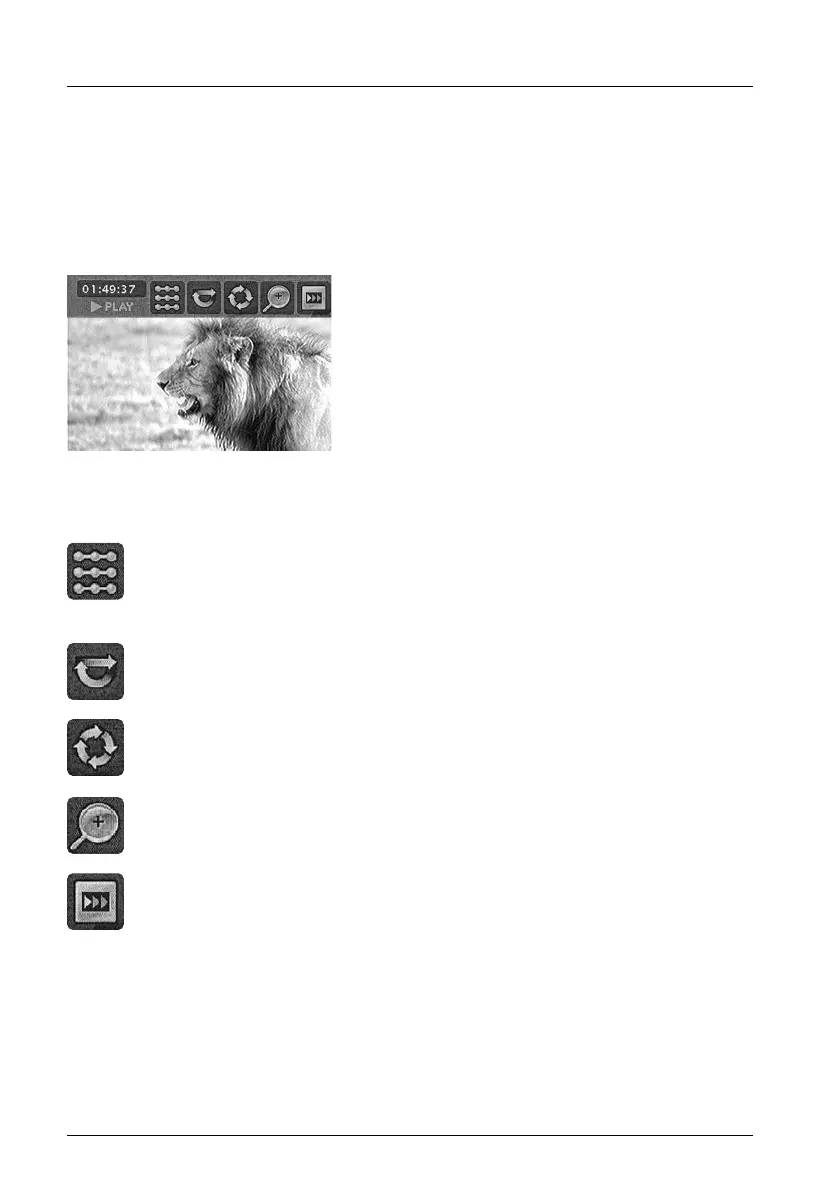
With the C, B, ▲, ▼ keys, select:
Play options
• Standard Play
• Play All
• Random
• Random All
Repetition
Rotating an image
90°, 180°, 270°
Zooming in on an image (zoom)
X1, X2, X3, X4
Speed of the slide show
2_DTH8540-50_en.qxd 11/08/05 11:40 Page 52


 To Next Page