EasyManua.ls Logo

THOMSON DTI 6021 - User Manual

THOMSON DTI 6021
22 pages
Print Icon
To Next Page IconTo Next Page
Loading...
Thomson DTI 6021
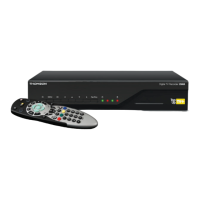
Digital Television Recorder (DTR)
3658100D DTI 6021 COMMON USER MANUAL
3674 3658100D DTI 6021 Common User Manual:Layout 1 24/11/09 13:03 Page 1

Questions and Answers

  • B
    banksalejandroSep 12, 2025
    Why is there no sound from VCR on my THOMSON DTI 6021?
    • B
      Bryan McdonaldSep 12, 2025
      If there is no sound from the VCR connected to your THOMSON DVR, note that VCR sound is not available at the Digital Audio Output socket. Connect the VCR directly to your amplifier.
  • C
    Colin MaySep 13, 2025
    Why is there a humming noise in my THOMSON DTI 6021?
    • J
      Jamie HobbsSep 13, 2025
      If you notice a humming noise in your THOMSON DVR, this is normal. It's the sound from the fan and the hard disk, and it's generally not noticeable and unavoidable.
  • C
    Cindy StokesSep 15, 2025
    Why are subtitles not appearing on my THOMSON DVR?
    • T
      tara66Sep 16, 2025
      If subtitles are not appearing on your THOMSON DVR, note that not all programmes have subtitles. Check with your broadcaster for details on subtitled programmes.

Summary

Getting Started

Quick Start Guide

A guide to setting up your Thomson Top Up TV+ Digital TV Recorder.

Connecting the DTR

Connect aerial, scart lead, and mains for DTR setup.

Scanning for Channels

Start the DTR channel scanning process and select the correct TV input.

TV Favourites Set Up

Set up TV Favourites for additional programmes and services.

Basic Functions

Using your DTR remote control

Overview of basic remote control functions for the DTR.

Using the Quick TV Guide

View channel information and programme details at the bottom of the screen.

Using the Programme Guide

Plan viewing and recording using the 14-day programme guide.

TV Favourites

Access a wider range of programmes by subscribing to TV Favourites.

Using your Programme Library

Access and manage recorded and Top Up TV programmes.

How to make Recordings

Customise recording settings, manual recording, and instant record.

Additional DTR Functions

Tuner swap

Switch between two channels using the remote control.

Watch whilst recording

View a programme while it is being recorded.

Pause, rewind & fast forward

Control playback of recordings with pause, rewind, and fast forward options.

Setting Up

Change your box settings

Adjust TV picture format, SCART settings, and programme search.

Recording preferences

Set recording guard time and pause live TV buffer size.

Languages

Set preferred audio and subtitle languages for broadcasts.

Help

Access basic information and tuning status of the DTR.

Information

Problems after installation

Troubleshoot common issues after installing the DTR.

If your DTR fails to respond

Steps to reset the DTR if it becomes unresponsive or fails to display a picture.

Further Connections

Connect additional devices like VCRs or hi-fi systems.

Accessories

List of included and optional accessories for the DTR.

Safety Information

Crucial safety instructions for mains connection and general usage.

Technical specifications

Details on operating voltage, power, dimensions, and storage capacity.

Viewing Card Information

Details about the viewing card, its ownership, and handling.

Limitation of Liability

Explains the extent of the manufacturer's liability and disclaimers.

THOMSON DTI 6021 Specifications

General IconGeneral
BrandTHOMSON
ModelDTI 6021
CategoryDVR
LanguageEnglish