EN - 17
mythomson.com
- Windows® 11 Overview -
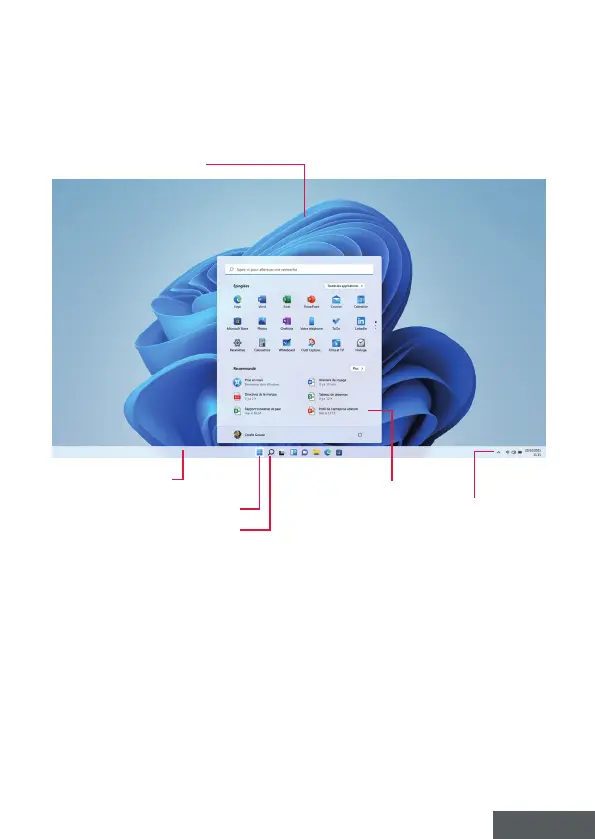
Presentation of the interface
Note : The interface may vary by country, model or version of Windows® 11
The Start menu is the entry point for your device. It allows you to access
applications, folders and settings.
The taskbar displays the applications in use and allows you to switch
between them.
The notication area displays important information about the use of your
device.
The search pane allows you to easily search through your les, applications
and other items on your device.
Desktop
Taskbar
Opens the search pane
Opens the Start menu
Start Menu
Notication area


 To Next Page