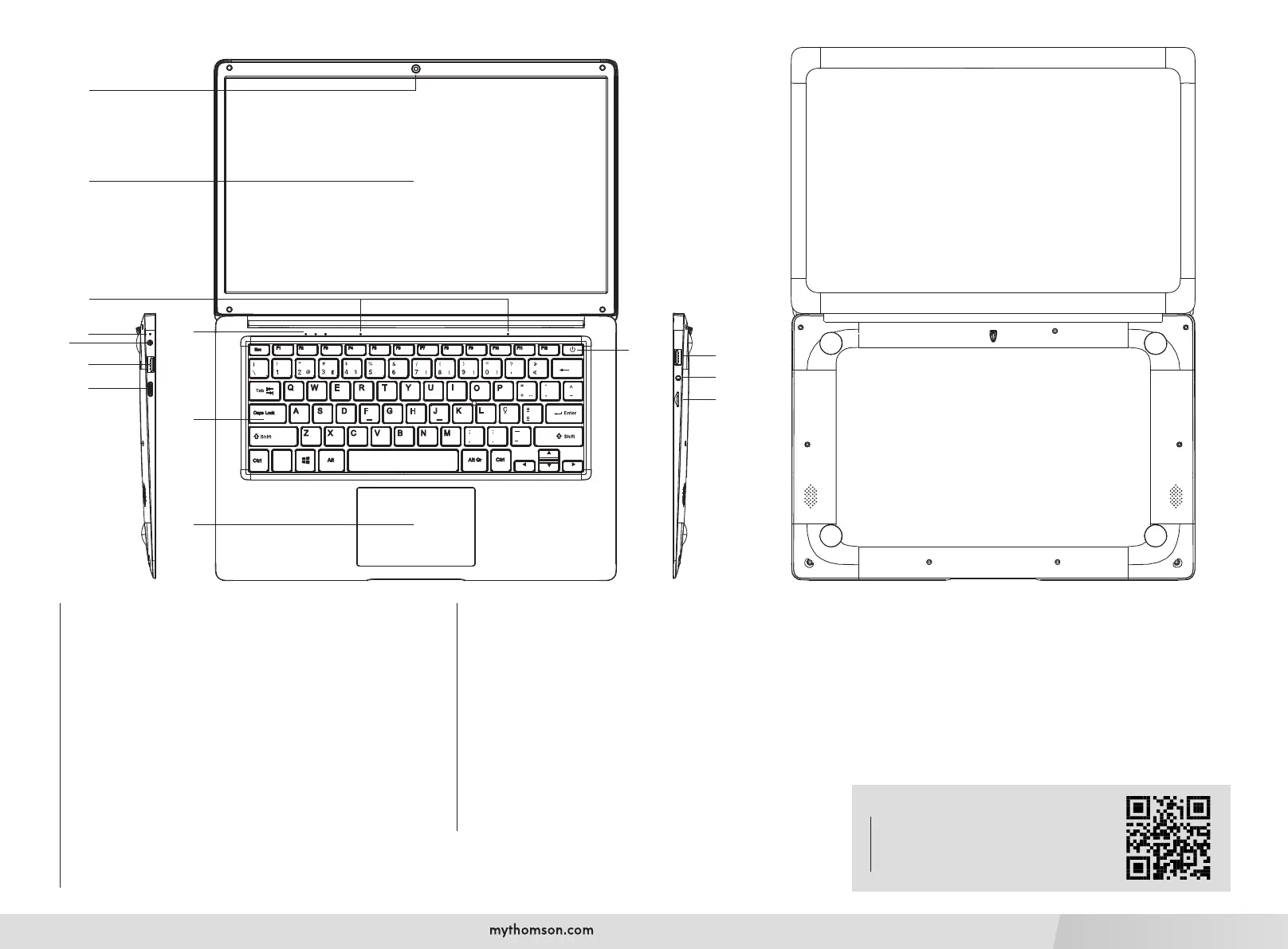
1. Front camera - Webcam
Use this camera for video calls or to take pictures.
2. Screen
3. Microphone
The microphone allows you to use the voice commands on your device,
make audio/video calls, or make audio recordings.
4. Power supply indicator
5. Keyboard
6. Touchpad
The touchpad allows you to enjoy the features of a mouse. It offers
an intuitive interface thanks to its multi-gestures features.
7. Charging indicator
This indicator lights up while the device is being charged.
8. Mains power port
This port provides power when connected to an adapter.
9. USB port type A
This port is compatible with USB devices such as a keyboard, mouse,
ash drive (USB sticks, memory card readers...), external hard disk,
printer.
10. HDMI port (High - Denition Multimedia Interface)
This port allows you to connect your device to an HDMI-compatible
device such as a TV, monitor or projector.
11. Power button
A long press of this button allows you to turn your device on or off.
12. USB port type A
13. Headset/microphone socket
Use this port to connect external speakers or headphones to your
device. You can also connect headphones with an external microphone.
14. Micro-SD card reader
The micro-SD card reader allows you to read or write to micro-SDHC
/ micro-SDXC memory cards.
Technical Support
To get all the necessary support information
for your computer, such as User’s Manual,
driver updates, technical service, etc., go to:
https://www.mythomson.com
3
7
4
5
6
8
10
9
11
12
13
14
1
2



 To Next Page