EasyManua.ls Logo

THOMSON ROC 2407 - User Manual

THOMSON ROC 2407
2 pages
Print Icon
To Next Page IconTo Next Page
Loading...
CODE 0570
(Logo registered by TPS)
CODE 0568
(Logo registered by VIA DIGITAL)
CODE 0584
(Logo registered by SKY DIGITAL)
CODE 0569
(Logo registered by CANAL SAT)
(Logo registered by PREMIERE)
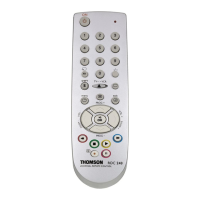
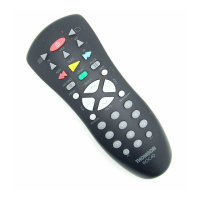
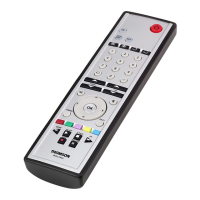
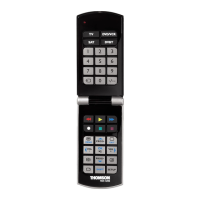
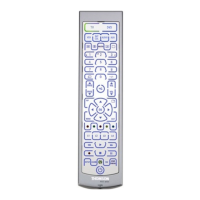
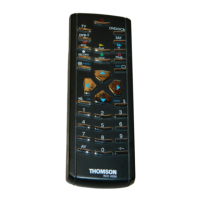
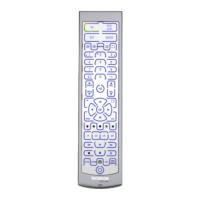
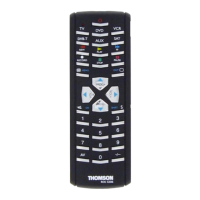
ROC2407 / 3407 / 4407 / 6407 ROC2407 / 3407 / 4407 / 6407 ROC2407 / 3407 / 4407 / 6407 ROC2407 / 3407 / 4407 / 6407
Standby
Infos
Shift key
OK
Down (Bas)
Radio
0 … 9
Right (Droite)
Quitter
Left (Gauche)
TV / SAT
Up (Haut)
Volume +
Volume -
Menu
(+Shift)
Fav/Retour
Mute
P+
P-
Menu
B
E
D
A
Guide
C
Standby
Pilote
B
Shift key
OK
Down (Bas)
Serv
0 … 9
E
D
Right (Droite)
Exit / Sortie
Left (Gauche)
A
C
TV-SAT /
Up (Haut)
Volume +
Volume -
Prog
Exit / Sortie
Pref
Mute
P+
P-
Prog
Standby
Infos
Shift key
Select (OK)
Down
Inic
0 … 9
Right
Salir
Left
Atras
Up
V
olume +
Volume -
Menu
Salir
Audio
Serv
Mute
ZAP+
ZAP-
Menu
B
Guia
D
A
C
Services
Power
i
Shift key
Select
Select Down
0 … 9
Yellow
Blue
Select Right
Backup
Interactive
Select Left
Red
Sky
Select Up
Volume +
Volume -
Text
Box Office
Help
Green
Mute
Channel Up
Channel Down
TV Guide
LeafletMappingROCX407.qxd 26/01/07 10:09 Page 1
Question and Answer IconNeed help?

Do you have a question about the THOMSON ROC 2407 and is the answer not in the manual?

THOMSON ROC 2407 Specifications

General IconGeneral
BrandTHOMSON
ModelROC 2407
CategoryRemote Control
LanguageEnglish

Related product manuals