
 Need help?
Do you have a question about the THOMSON ROC 4306 and is the answer not in the manual?
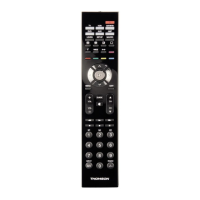
Explains the primary functions of each key on the remote control.
Details the indicator lamp and how to select control modes.
Covers playback controls and menu navigation keys.
Describes keys for programming, shifting functions, and special operations.
Steps to verify remote control functionality before programming.
Fast programming using a 1-digit subcode from the code list.
Guidance on assigning different product types to remote control keys.
Programming the remote using specific 4-digit codes.
Instructions for assigning different product types to keys.
Automatically scans for the correct code by sending IR signals.
Retrieves the correct code without manual input by cycling through options.
Steps for programming remote control for COMBO devices (TV/VCR, etc.).
Steps to retrieve a previously programmed code from the remote.
Configuring volume control for specific or all modes.
Accessing device settings via the NAVILIGHT system.
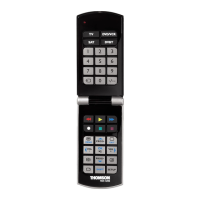
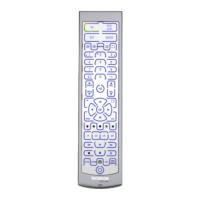
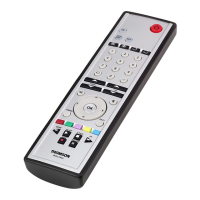
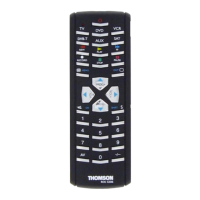
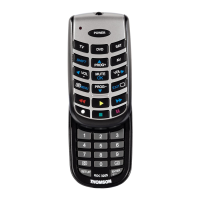
The ROC 4306 is a universal 4-in-1 remote control designed to replace up to four individual remote controls for various home entertainment devices. Its primary function is to provide a single control unit for televisions, video cassette recorders (VCRs), DVD players, satellite receivers, cable receivers, terrestrial digital television (DVBT) units, amplifiers, and other audio equipment that are controlled via infrared (IR) signals. The remote comes pre-programmed for most Thomson Group devices, allowing for immediate use with compatible equipment. If programming is necessary, the manual outlines several methods (A, B, C, D, or E) to configure the remote for specific devices. It requires two AAA batteries for operation.
The remote control features a comprehensive set of keys, each with specific functions:
The colored buttons (Play, FF, Stop, Pause, Rewind) can also be used to select categories in teletext mode and for specific functions depending on the device make.
The manual provides several methods for programming the remote control if the pre-programmed settings are not suitable:
*   Turn on the target device.
*   Press the corresponding mode key (3) (TV, VCR/DVD, DVB-T, SAT).
*   Point the remote at the device and try to turn it off using the On/Standby key (2). If it doesn't turn off, programming is required.
*   Requires finding the device's subcode in the provided code list.
*   Switch on the device.
*   Hold down S (10) until the red indicator lamp (1) stays lit.
*   Press the mode key (3) for the device type.
*   While the indicator is lit, type in the 1-digit subcode.
*   Point the remote at the device and try to switch it off using On/Standby (2).
*   If it switches off, press (14) to memorize the subcode. If not, repeatedly press On/Standby (2) until it switches off, then press (14).
*   Requires finding the device's 4-digit code in the provided code list.
*   Switch on the device.
*   Hold down S (10) until the red indicator lamp (1) stays lit.
*   Press the mode key (3) for the device type.
*   While the indicator is lit, enter the first digit of the 4-digit code. The indicator lamp will flash if the code is incorrect or go off if correct.
*   Point the remote at the device and try to switch it off using On/Standby (2).
*   If it doesn't switch off, repeat the process with the next 4-digit code.
*   Used if none of the known codes work.
*   Switch on the device.
*   Hold down S (10) until the red indicator lamp (1) stays lit.
*   Press the mode key (3) for the device type.
*   Point the remote at the device and try to switch it off using On/Standby (2).
*   If it switches off, press (14) to memorize. If not, repeatedly press On/Standby (2) (up to 200 times) until the device switches off, then press (14).
*   The remote scrolls through its entire code list, sending IR signals.
*   Ensure the device is on.
*   Hold down S (10) until the red indicator lamp (1) stays lit, then release S (10).
*   Press the mode key (3) for the device type.
*   Press PROG+ (15) once to start the search (1 code/second). Press PROG+ (15) a second time to slow down the search (1 code/3 seconds).
*   When the device reacts (e.g., changes channel or switches off), immediately press (14) to record the code. If you pass the code, use PROG- (15) to go back.
*   Depending on the COMBO type and make, either a single code for both devices or two separate codes may be required. Consult the code list.
*   Switch on the COMBO.
*   Hold down S (10) until the red indicator lamp (1) stays lit.
*   Press the TV (3) key, then follow one of the programming methods (A, B, C, or D).
*   If a second code is needed, repeat steps 2 and 3.
*   Hold down S (10) until the red indicator lamp (1) stays lit.
*   Press the mode key (3) for the device type.
*   Briefly press S (10) again; the indicator lamp (1) flashes once.
*   Press number keys (0-9) in ascending order. The digit that makes the indicator lamp flash is the first number of the 4-digit code. Repeat to find the other numbers.
*   For TV/satellite: switch on and try to change channels with PROG+ (15).
*   For DVD: load a DVD and press PLAY (6).
*   Test other keys to ensure full functionality. If not all keys are active, try Method B or C.
Adjustment of ALL Volume Controls Under a Specific Mode:
Adjustment of Volume Controls for EACH Mode:
*   This system provides easy access to settings of Thomson TVs or VCRs, provided the VCR/DVD or SAT keys are allocated to the video recorder.
*   Switch on the device.
*   Press the mode key (TV, VCR/DVD, or SAT). For VCR/DVD, ensure AV mode is active on the TV.
*   Press S (10) once, then (16).
*   Navigate menus with play keys (4), (9), and (15).
*   Validate with OK (14).
*   To exit, press EXIT (8).
 General
| Brand | THOMSON |
|---|---|
| Model | ROC 4306 |
| Category | Remote Control |
| Language | English |




 To Next Page