5
Operating the radio
EN
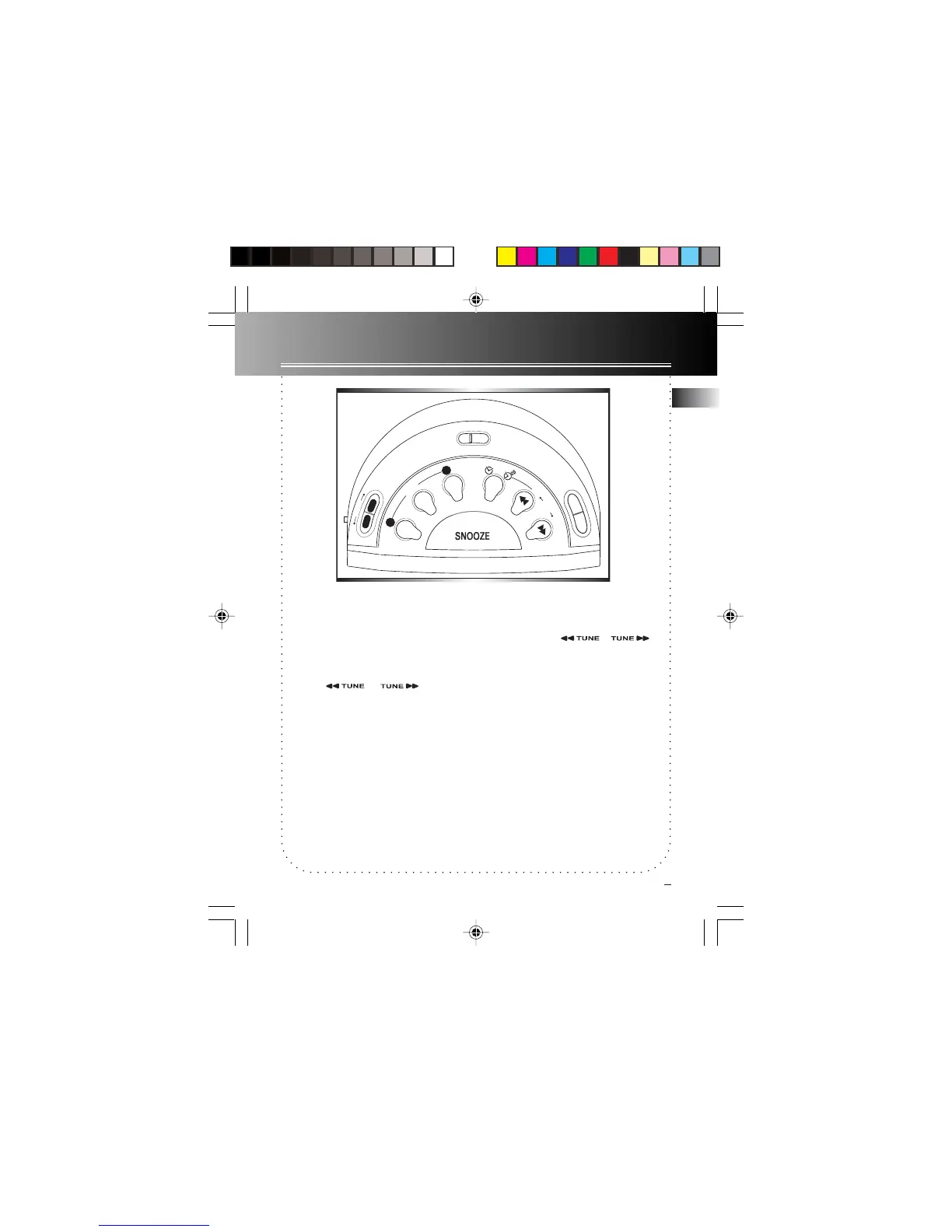
Tuning the Stations
1. Press ON/BAND (located on the top of
the radio) to turn on the radio.
2. Press ON/BAND to change the broad-
cast band (FM/MW for RR95M only, FM/
LW for RR95L), press the OFF button to
turn off the radio.
3. Press or to select a
station.
4. If you want to memorize this station,
press MEMORY SET button once, and
press MEMORY RECALL button to
choose the station number you want
to record in, once you choose a num-
ber, press MEMORY SET again to con-
firm.
5. If you set the station in the AL location,
it will be the wake up station of the
alarm.
Automatic station search
1. Press ON/BAND (located on the top of
the radio) to turn on the radio.
2. Press and hold or for
2 seconds, it will automatically search a
station for you.
Note: This unit can store up to 11 preset
stations, while AL location is for the wake
up station.
The descriptions and characteristics in this
owner’s manual are for the purpose of
general reference only and not as a
guarantee. In order to provide you with
the highest quality product, we may make
changes or modifications without prior
notice. The English version serves as the
final reference on all product and
operational details should any
discrepancies arise in other languages.
SLEEP
N
A
P
Set
1
2
Memory
Recall
A
L
A
R
M
Cancel
BAND
A
L
A
R
M
R
A
D
IO
R
e
w
T
U
N
E
F
w
d
T
I
M
E
S
E
T
O
F
F
O
N
RR95 EN 3/20/03, 2:18 PM6



 To Next Page