18
Features and connections
Using the Optical input
You will need: An audio source with an Optical Audio Output and a Digital
Optical Audio Cable (included)
Connect the Digital Optical Audio Cable to the optical output on the audio
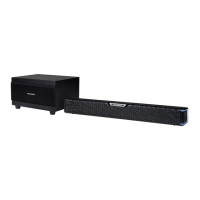
source and to the Optical Input on the speaker bar.
1. Long press the button on unit or press the button on
remote control to power the unit on.
2. Press the button repeatedly on unit or press the OPT button on
remote to switch to Optical mode. The white LED light on.
3. Audio from the connected audio source will now be played through the
speakers.
Using the Auxiliary Input RCA (included 3.5mm RCA cable)
1. Connect a 3.5mm Audio Input cable (not included) to the 3.5mm Audio
Input on the sound bar and an audio source.
2. Long press the button on unit or press the button on
remote control to power the unit on.
3. Press the button repeatedly on unit or press the AUX button on
remote to switch to AUX mode. The green LED light on
4. Use the native controls on the connected audio device to begin playing
music through the connected sound bar.
Using the Bluetooth
Remark: The maximum connection distance is around 10 meters. Please
place your Bluetooth speaker as close as possible to this device to avoid
connection getting disturbed.


 To Next Page