EN-16
M
ethod 1 (recommended):
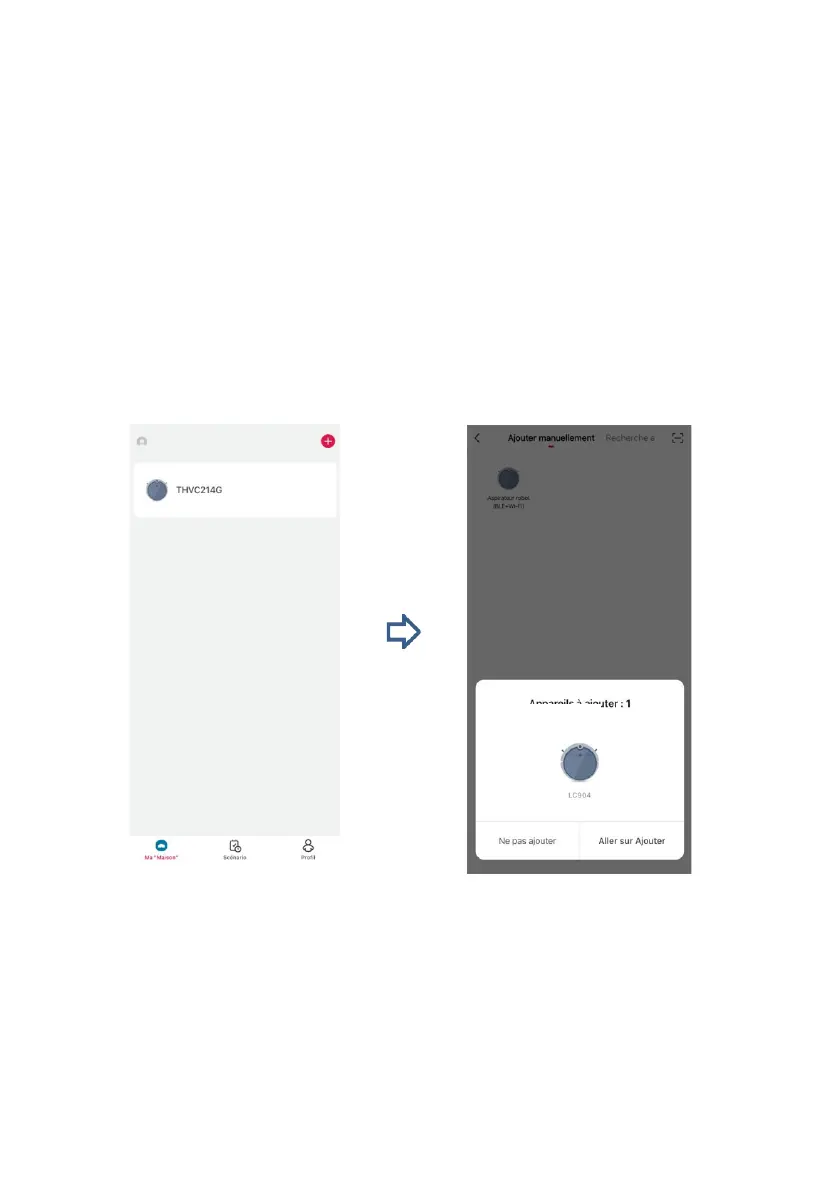
Tap the plus sign (+), select Robot vacuum cleaner (Wi-Fi) from the list
of small appliances, enter your Wi-Fi network name and password,
and then tap Next. Hold the Reload button robot pressed for 6
seconds until you hear two beep sounds. The charging and power
indicator lights on the robot then flash yellow. If your mobile phone is
nearby robot and its bluetooth function is on, the app will start to
search for nearby bluetooth devices. Once the product is detected,
the configuration wizard appears. Follow the wizard to add the
product.


 To Next Page