EN-18
Method 2:
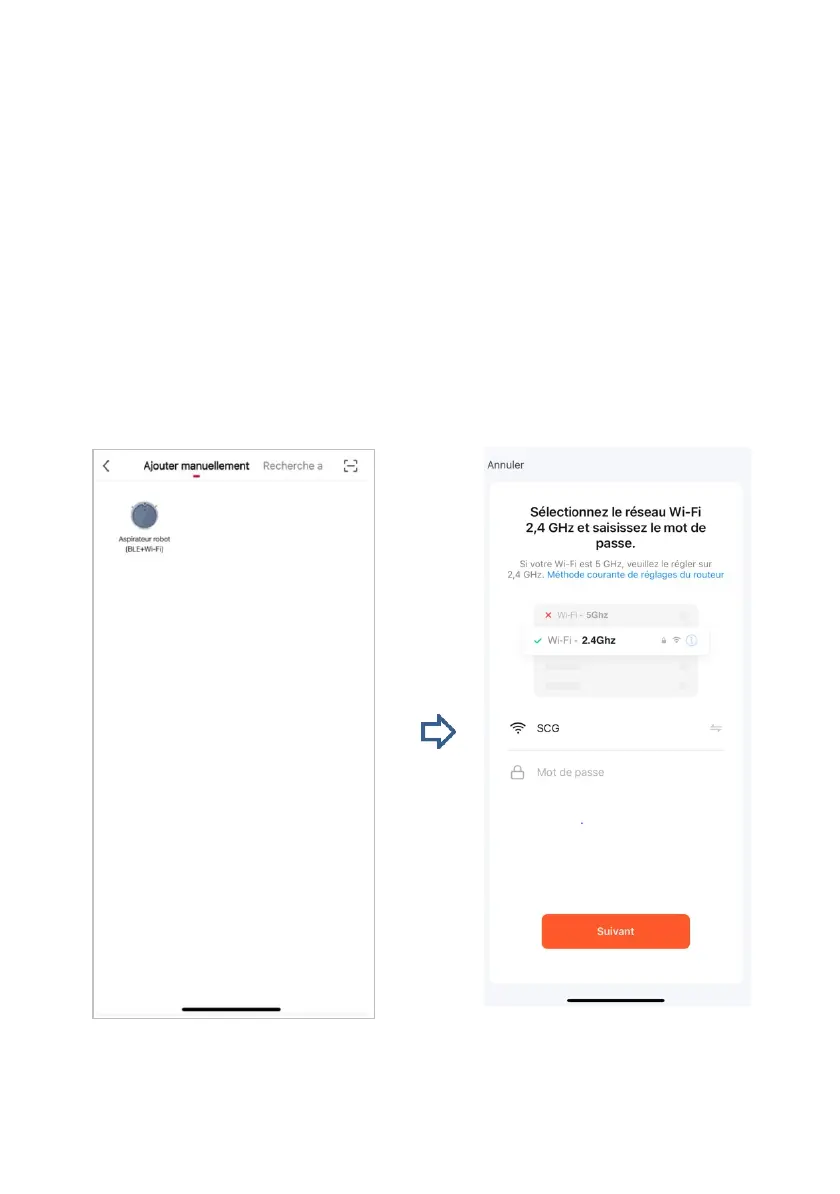
Tap the plus sign (+), select Robot vacuum cleaner (Wi-Fi) from the list of
small appliances, enter your Wi-Fi network name and password, and then
tap Next. Tap the icon in the upper right corner to enter hotspot mode.
Hold the Reload button robot. Press and hold for 6 seconds until you hear
two beep sounds, indicating that the Wi-Fi setup mode is enabled. Make
sure the Wi-Fi light is flashing yellow. Tap Next, select the hotspot without
a password whose name begins with the prefix Smart Link in the Wi-Fi list,
and then tap Connect. Once the connection is configured, the
THOMSON Smart Link application displays the connection screen. You
can check the product after displaying a successful connection
message.


 To Next Page