EN
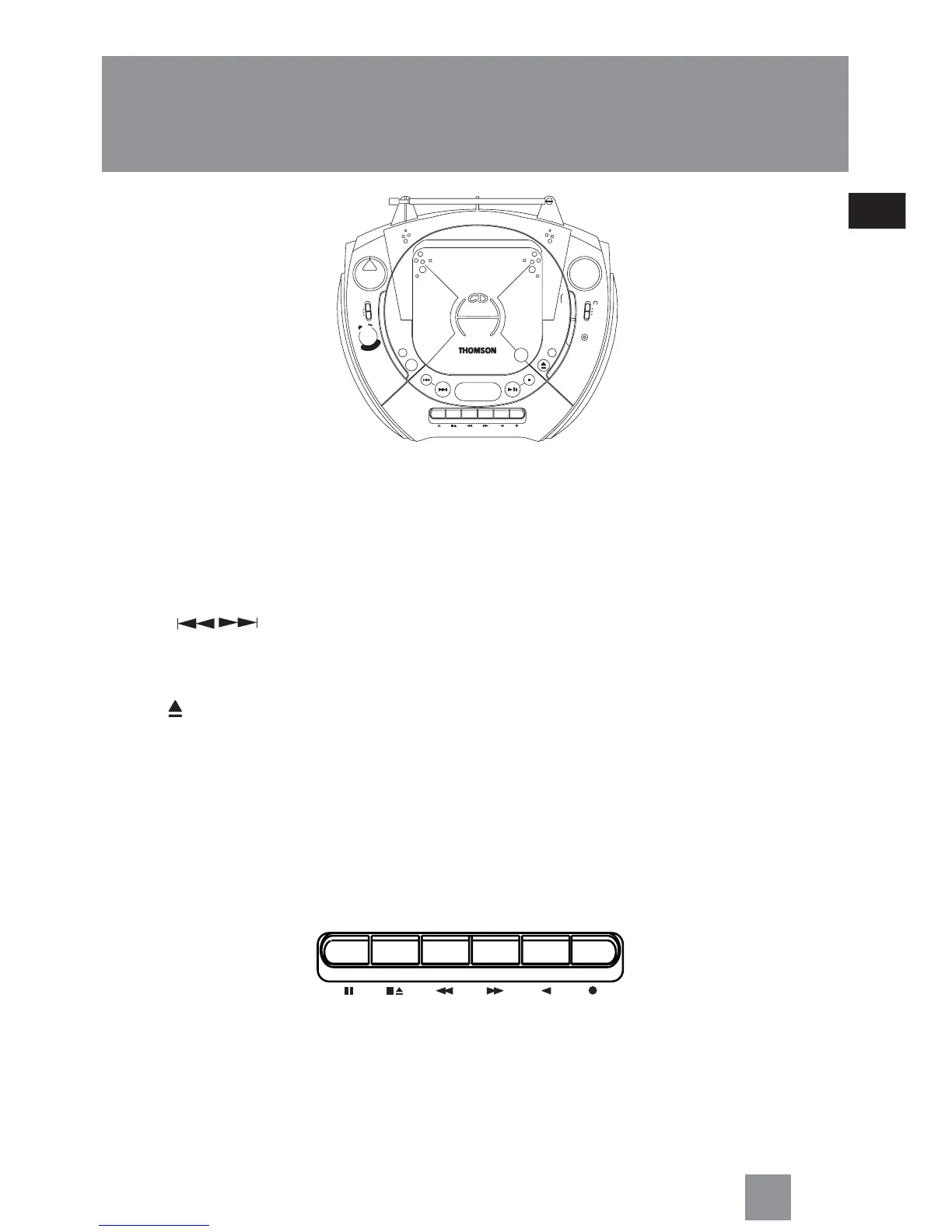
General controls
2
MIN. VOLUME MAX. — increases or decreases output volume
SELECT – selects among TAPE (OFF), RADIO and CD mode
DBBS – turns on/ off digital bass boost system
REPEAT – repeats one track or entire disc playback
PROG. – enters program mode for CD playing
PHONE – connects headphone
TRACK – searches / skips CD track forward or backward
PLAY PAUSE – starts or pauses CD play
STOP – stops CD playback
OPEN – opens the CD compartment door
MIX– plays CD tracks randomly
CLOSE – push to close the disc compartment door
STEREO – lights when FM signal is received
BAND – selects between MW/LW/FM band
< TUNING > – rotate to search for radio stations
Cassette Player
PAUSE – pauses tape playback or recording
STOP/ EJ. – stops tape playback, winding or recording, opens cassette door
F. FWD/ REW – winds tape forward or backward
PLAY – starts tape playback
REC – starts tape recording
PAUSE STOP/EJ. F.FWD REW PLAY REC.
O
F
F
-
O
N
D
B
B
S
M
I
N
.
V
O
L
U
M
E
M
A
X
.
SELECT
CD
T
APE
RADIO
STOP
PLAY
PAUSE
TRACK
CD MULTIFUNCTION DISPLAY
PORTABLE CD PLAYER
RADIO CASSETTE RECORDER
CLOSE
PAUSE STOP/EJ. F.FWD REW PLAY REC.
REPEAT
PROG.
OPEN
LEVEL
(OFF)
< TUNING >
MHz
108
106
104
100
97
93
88
FM
STEREO
MIX
25
24
22
20
18
16
LW
kHz
x10
170
MW
1400
120
100
80
60
FM
3
BAND
LW
MW



 To Next Page