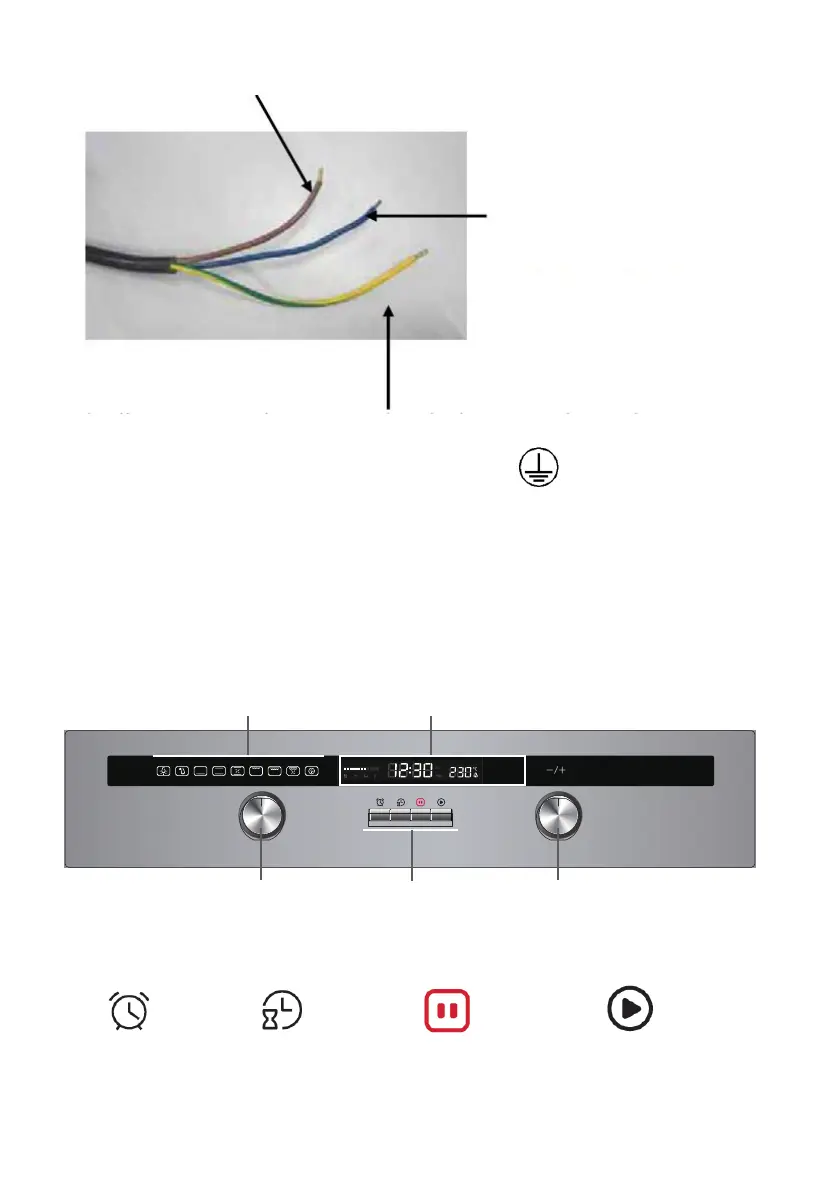
The blue wire must be
connected to the
terminal marked N.
The green and yellow wire must be connected to the
symbol .
DESCRIPTION OF THE OVEN
Control panel
The oven is designed with two push-pull control knobs. These knobs can be completely
pushed inside the control panel when you do not operate the oven.
1. Function control knob
2. 4 Buttons
:
Remind Clock time Pause/stop Start
3. Thermostat control knob
4. Display
The brown wire must be connected to the terminal marked L.
5
4
2
3 1
terminal marked E or the earth


 To Next Page