Operating Instructions
It is recommended that you installed your appliance in a place where the ambient
temperature is between 16-32℃(61℉-90℉). If the ambient temperature is above or
below recommended temperatures, the performance of the unit may be affected and it
may not be possible to obtain temperature between 5-12℃(41-54℉)/12-20℃(54-68℉).
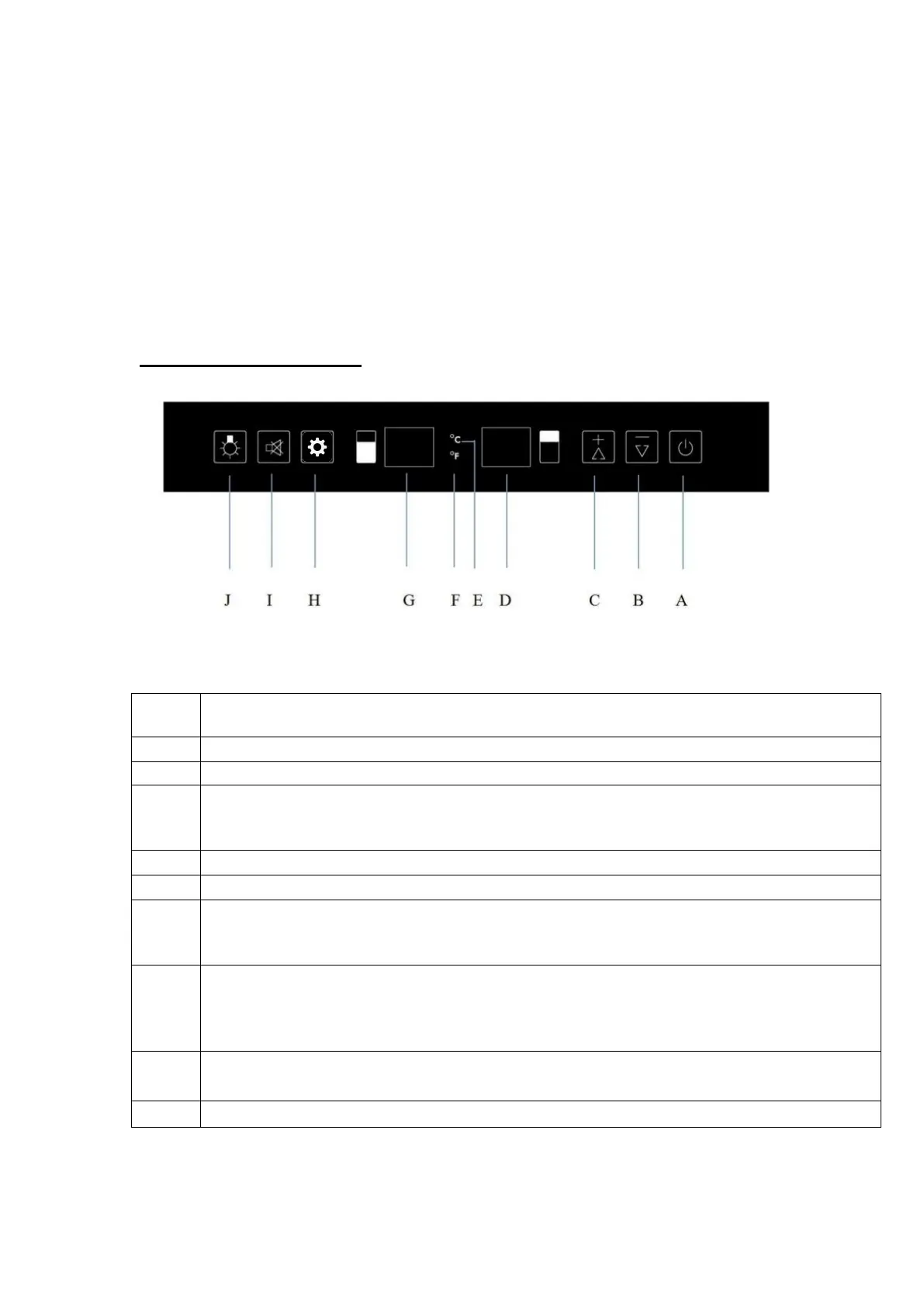
Temperature setting
ON/OFF switch, turn on by pressing once, turn off by pressing and holding 5
seconds
Decrease temperature of 1 degree Celsius or Fahrenheit
Raise temperature of 1 degree Celsius or Fahrenheit
Display shows upper zone temperature at its setting. 5 seconds later, it will
automatically turn to actual temperature inside the wine cellar till reaching setting
one.
Temperature display in Celsius.
Temperature display in Fahrenheit.
Display shows lower zone temperature at its setting, 5 seconds later, it will
automatically turn to actual temperature inside the wine cellar till reaching setting
one.
Compartment selecting switch (lower or upper one). Once the compartment has
been selected, it will show setting temperature as flash, 5 seconds later
automatically turn to inner cabinet actual temperature till it reaches the setting
one.
Alarm cancel switch, press once to cancel the alarm. Press and hold 5 seconds
to change Celsius or Fahrenheit.
Light ON/OFF switch, turn on and turn off the light.



 To Next Page